You can run Inkling 2 Mini locally on a computer with about 18 GB of free RAM plus VRAM for the 4 bit GGUF, or a Mac with 32 GB of unified memory for the official build. Use llama.cpp v1.1.0 or newer, Unsloth's app, or Ollama on Apple silicon. The official checkpoint is about 20 GB, Thinking Machines recommends 32 GB or more of memory, and Unsloth's smallest GGUF is 7.76 GB, so a 24 GB graphics card or a 32 GB Mac is the comfortable starting point.
Inkling 2 Mini came out on November 20, 2026 and is the first Inkling model that fits on ordinary hardware. Below: which file to download, the commands for each runtime, the recommended settings and the known limits.
What's new (November 28, 2026): Ollama v0.40.19 (November 26) speeds up Inkling 2 on Apple silicon. The pull request behind it moves short histories to the Metal split attention kernels and trims draft proposals, and its own benchmark went from 64.1 to 78.5 tokens per second on a chat prompt and from 89.0 to 114.5 on a coding task, with outputs unchanged. It still does not mention Windows or Linux support, and Ollama's GGUF tags were rebuilt on November 27 at 19 to 20 GB.
What Inkling 2 Mini is
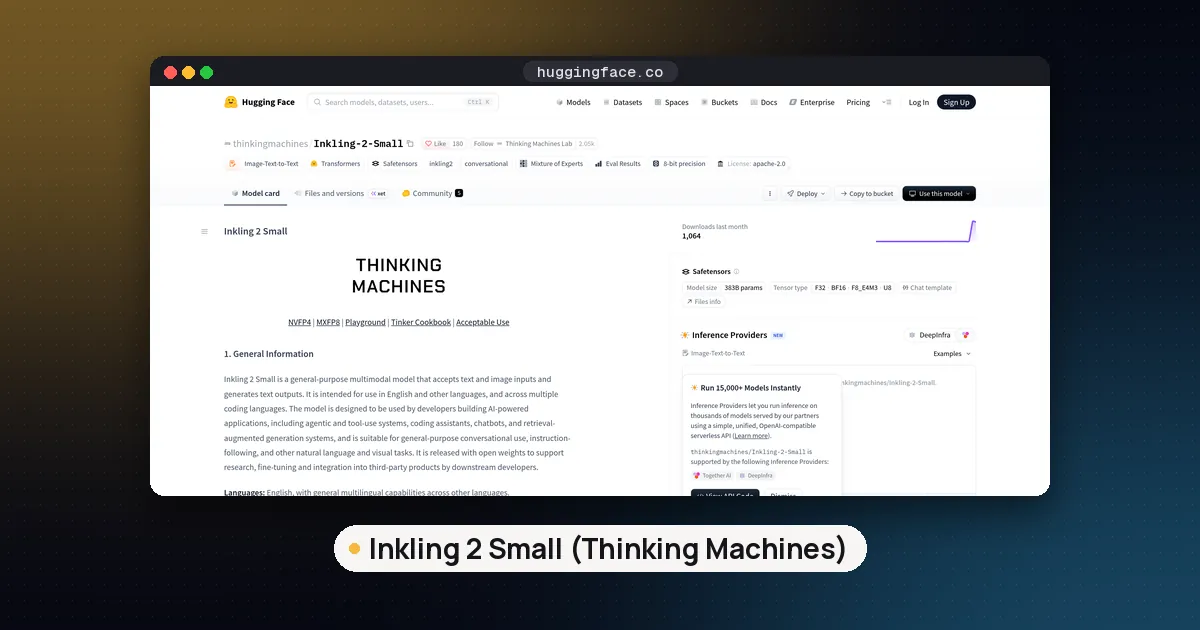
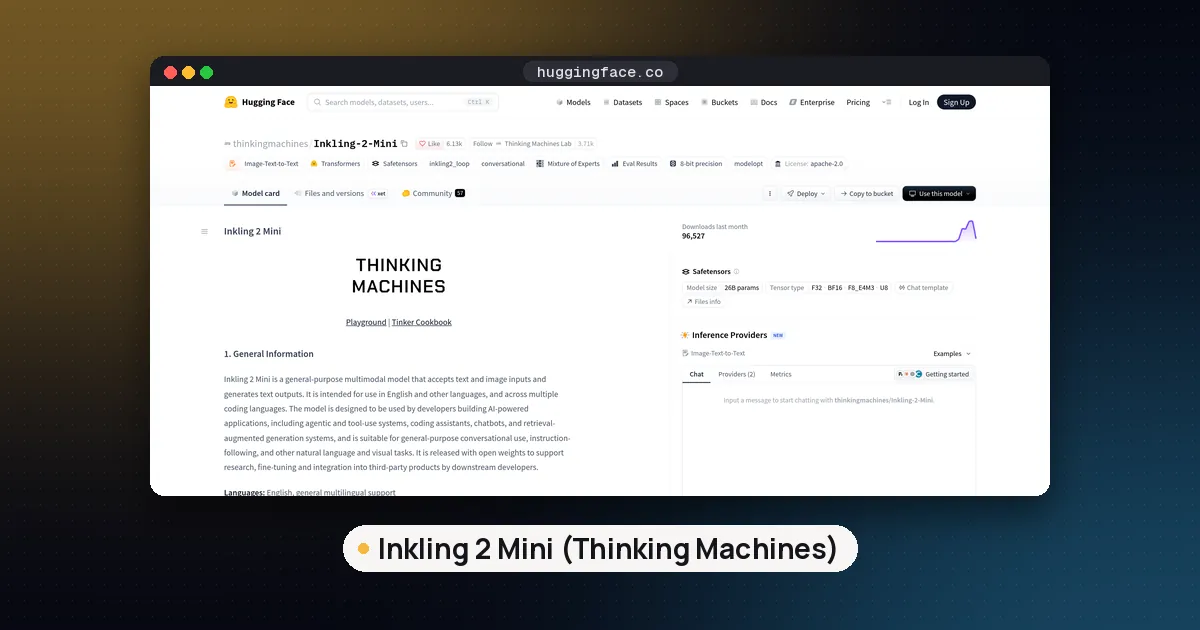
Inkling 2 Mini is an open weight model from Thinking Machines Lab, released under plain Apache 2.0 according to the Hugging Face model card. It reads text and images and writes text, with a context window of up to 1M tokens.
The interesting part is the architecture. It is a mixture of experts model with 26.4B total parameters and 3.4B active per token, built from 24 layers. The middle 12 layers run three times for every token with shared weights, so each token passes through 48 layers of computation. Thinking Machines counts that as 5.4B effective active parameters. In its launch post the lab says looping lets the model do more reasoning without writing it all out as tokens.
Two practical consequences follow from that design:
- Small download. Most weights were trained and ship natively in NVFP4, with the last four layers in MXFP8, so the official files total about 20 GB.
- More compute per token than the size suggests. The model card warns that because the middle layers run three times, each token costs more compute than the 3.4B active count implies, and that local runtime support for looped models is new.
The GGUF headers we read match the card: 24 blocks, layers 6 to 17 looped three times, 8 of 128 experts per token.
Inkling 2 Mini size and memory needs
Here is what each format needs. File sizes come from the Hugging Face file listings on November 26; the memory column is Unsloth's guidance for RAM plus VRAM (or unified memory) from its Inkling 2 Mini guide.
| Format | Download | Memory to plan for | Runs with |
|---|---|---|---|
| Official NVFP4 and MXFP8 checkpoint | about 20.2 GB (19.5 GB weights plus a 0.64 GB drafter file) | 32 GB or more recommended | vLLM, SGLang, Transformers |
| Unsloth UD-IQ1_S GGUF | 7.76 GB | about 9 GB | llama.cpp, Unsloth |
| Unsloth UD-Q2_K_XL GGUF | 9.14 GB | 10 to 11 GB | llama.cpp, Unsloth |
| Unsloth UD-Q3_K_XL GGUF | 13.63 GB | 13 to 15 GB | llama.cpp, Unsloth |
| Unsloth UD-Q4_K_XL GGUF (recommended) | 17.63 GB | 17 to 18 GB | llama.cpp, Unsloth |
| Unsloth UD-Q8_K_XL GGUF | 22.87 GB | about 24 GB | llama.cpp, Unsloth |
Ollama inkling-2-mini | 18 to 20 GB | Mac with 32 GB or more | Ollama |
Add 639 MB if you want image input (the mmproj-F16.gguf vision projector) and about 0.5 GB for the optional DSpark drafter. Unsloth notes that long contexts, images and other open apps push memory use above these ranges. If you want to work out the context part yourself, our VRAM guide walks through the math.
How much quality the smaller GGUFs lose
Unsloth measured every quant against its 8 bit reference file. Higher "same top token" means the quant picks the same next token as the reference more often.
| Quant | Size | Mean KLD | Same top token |
|---|---|---|---|
| UD-IQ1_S | 7.76 GB | 0.0911 | 89.4% |
| UD-IQ2_XXS | 8.49 GB | 0.0726 | 90.6% |
| UD-IQ3_XXS | 11.66 GB | 0.0269 | 94.7% |
| UD-Q3_K_XL | 13.63 GB | 0.0174 | 96.3% |
| UD-IQ4_XS | 15.73 GB | 0.0109 | 97.7% |
| UD-Q4_K_XL | 17.63 GB | 0.0107 | 98.0% |
The curve flattens at 4 bit: UD-IQ4_XS is 1.9 GB smaller than UD-Q4_K_XL and nearly as close to the reference. Below 3 bit the gap widens quickly. For a refresher on what these labels mean, see GGUF quantization explained.
How to run Inkling 2 Mini with llama.cpp
Inkling 2 Mini uses a new inkling2_loop architecture in GGUF files. Mainline llama.cpp added it in pull request 32694 (merged November 20), and a fix for the NVFP4 expert scales on the second and third loop passes followed in pull request 32704 on November 21. Unsloth's notes say builds older than b12611 give wrong output, with perplexity around 130 instead of 7.65. The v1.1.0 release, tagged on November 26, lists Inkling 2 Mini under new models, so any current release works.
- Get llama.cpp v1.1.0 or newer. Download a prebuilt release for your platform, or build it. Our llama.cpp guide covers both.
git clone https://github.com/ggml-org/llama.cpp
cd llama.cpp
cmake -B build -DGGML_CUDA=ON   # leave out on a Mac, Metal is the default there
cmake --build build --config Release -j --target llama-server llama-cli- Download the GGUF. The 4 bit file plus the vision projector and drafter:
pip install -U huggingface_hub
hf download unsloth/Inkling-2-Mini-GGUF \
  Inkling-2-Mini-UD-Q4_K_XL.gguf mmproj-F16.gguf dspark-Inkling-2-Mini-Q8_0.gguf \
--local-dir Inkling-2-Mini-GGUF- Start the server with the recommended sampling:
./build/bin/llama-server \
  -m Inkling-2-Mini-GGUF/Inkling-2-Mini-UD-Q4_K_XL.gguf \
  --mmproj Inkling-2-Mini-GGUF/mmproj-F16.gguf \
  --jinja -ngl 99 -c 32768 \
--temp 1.0 --top-p 1.0 --top-k 0 --min-p 0.0- Open the web UI at the address the server prints, or point any OpenAI compatible client at it. Drop
--mmprojfor text only chat, and lower-cor-nglif you run out of memory.
The Unsloth repo also has a Mainline_Support folder whose README describes a separate layout for mainline builds. Unsloth's November 23 update says all quants were updated so mainline llama.cpp can load them, and when we read the headers of both UD-Q4_K_XL copies on November 26 they were identical. Use the root files unless your build refuses them.
Faster decoding with DSpark and Unsloth's build
The model ships with its own small drafter for speculative decoding. To use it, add --model-draft Inkling-2-Mini-GGUF/dspark-Inkling-2-Mini-Q8_0.gguf --spec-type draft-dspark --spec-draft-n-max 2 to the server command. Unsloth found a depth of 2 fastest because the third drafted token is rarely accepted. On a B200 at temperature 1.0 it measured about 1.11x faster decoding. Our guide to speculative decoding vs MTP explains how drafters work.
Unsloth also publishes its own llama.cpp prebuilts and reports they decode Inkling 2 Mini up to 1.9x faster than mainline b12649. A few of its own measurements with the 4 bit file:
| GPU | Unsloth build | Mainline b12649 |
|---|---|---|
| RTX PRO 6000 Blackwell | 125.24 tokens/s | 81.35 tokens/s |
| L4 | 42.88 tokens/s | 35.84 tokens/s |
| T4 (5 MoE layers on CPU) | 23.90 tokens/s | 19.71 tokens/s |
These are vendor numbers we have not reproduced.
The easy route: Unsloth's app
If you would rather skip the command line, Unsloth Desktop for macOS, Windows and Linux can download and run the model. Search for unsloth/Inkling-2-Mini-GGUF in its model hub, pick a quant that fits your memory and start a chat. The same install gives you a local API:
unsloth run --model unsloth/Inkling-2-Mini-GGUF:UD-Q4_K_XL \
  --temp 1.0 --top-p 1.0 --top-k 0 --min-p 0.0
LM Studio also runs GGUF files through llama.cpp, but its bundled engine has to include the new architecture first. Check that it lists Inkling 2 Mini support before you download 18 GB.
Can you run Inkling 2 Mini in Ollama?
Yes on a Mac. Ollama added the model in v0.40.17 with one command:
ollama run inkling-2-miniThe v0.40.17 release notes say this release supports it on Apple silicon only and that PC support will follow in an upcoming release. v0.40.18 (November 23) brought faster Metal decoding and prefill for it, and v0.40.19 (November 26) made short chats and draft proposals faster again, but neither mentions Windows or Linux. The Ollama library page lists four tags: latest and 26b-a5b (19 to 20 GB), 26b-a5b-nvfp4 for MLX (20 GB) and 26b-a5b-iq4_NL (19 GB). It recommends a Mac with 32 GB or more. On Windows or Linux, use llama.cpp or Unsloth for now.
On a Mac, the Ollama route uses Apple's MLX engine for the NVFP4 tag. Our MLX vs GGUF on Mac guide explains when each format is faster.
Serve Inkling 2 Mini with vLLM or SGLang
For a GPU server or a DGX Spark, the official checkpoint runs in vLLM. The vLLM recipe says support is in vLLM main, so use the vllm/vllm-openai:nightly image or a nightly wheel until it reaches a release:
vllm serve thinkingmachines/Inkling-2-Mini \
  --tensor-parallel-size 1 \
  --reasoning-parser inkling \
  --speculative-config '{"method":"dspark","num_speculative_tokens":7,"draft_sample_method":"probabilistic"}'
The recipe lists support on Blackwell (B200, GB200, B300, GB300), Hopper (H100, H200) and DGX Spark. One GPU is the most efficient setup, and on H100 and DGX Spark the recipe caps context at 262,144 tokens to fit in memory. Tool calling uses the inkling tool call parser. SGLang has its own cookbook entry, linked from the model card. Our vLLM vs llama.cpp comparison helps if you are unsure which engine suits your machine.
Settings that matter
- Sampling: temperature 1.0, top p 1.0, top k off and min p 0. These defaults are written into the GGUF metadata, and both Unsloth and the model card use them.
- Reasoning effort: the chat template maps efforts from
noneupward. The model card warns that setting effort to its minimum does not fully turn reasoning off. - Output limits: Thinking Machines saw the model get stuck in long reasoning loops, especially when debugging code. Set a maximum output length and a cap on agent turns.
- Context: start at 32K. A Q8_0 KV cache (
--cache-type-k q8_0 --cache-type-v q8_0) roughly doubles the context you can fit, at a cost of about 3% to 7% decode speed in Unsloth's B200 test. See our KV cache quantization guide.
Pros and cons
Pros
- Fits a 24 GB GPU or 32 GB Mac at 4 bit, and an 8 GB file exists for tighter machines
- Plain Apache 2.0, so commercial use is allowed
- Image input and a 1M token context in one model
Cons
- Looped layers make each token slower than a normal 3.4B active model
- Ollama is Mac only so far, and vLLM needs a nightly build
- The model card lists weaker factual recall than Inkling 2 Small, confident wrong answers and reasoning loops
- Agent use needs care: the card says it may delete or overwrite files without asking
Who should run Inkling 2 Mini locally
It suits developers with a 24 GB graphics card, a 32 GB or larger Mac or a DGX Spark who want an open model for coding, images and long documents without sending data to an API. Researchers get one of the first open weight looped transformers, built with attention residuals.
Skip it if you have 16 GB or less and need good quality: the 1 and 2 bit files fit, but they agree with the reference on only about 90% of tokens. Smaller dense models in our list of models to run locally will serve you better. Weighing Qwen's 27B model instead? Our Qwen 3.8 27B guide covers its hardware needs. For the far larger sibling, which needs 180 GB or more, read how to run Inkling 2 Small locally.
FAQ
How much RAM do I need for Inkling 2 Mini?
Plan for about 18 GB of combined RAM and VRAM for the recommended 4 bit GGUF, plus room for context and your operating system. Unsloth's smallest file needs about 9 GB. Thinking Machines recommends 32 GB or more for the official 20 GB checkpoint.
Does Inkling 2 Mini run on Windows?
Yes, through llama.cpp v1.1.0 or newer, or Unsloth Desktop, which both have Windows builds. Ollama's Inkling 2 Mini support was Apple silicon only as of v0.40.19 (November 26), so Ollama on Windows is not an option yet.
Which Inkling 2 Mini GGUF should I download?
Start with UD-Q4_K_XL (17.63 GB), which Unsloth recommends and which matched its reference on 98.0% of top tokens. UD-IQ4_XS (15.73 GB) is almost as close if you need to save memory. Go below 3 bit only if nothing else fits.
Why does llama.cpp give garbage output with Inkling 2 Mini?
Your build is probably too old. Unsloth says builds before b12611 lose the NVFP4 expert scales on the second and third loop passes and produce wrong output. Update to v1.1.0 or newer and pass --jinja so the model's chat template is used.
Is Inkling 2 Mini free for commercial use?
Yes. The weights use Apache 2.0, which allows commercial use, changes and redistribution as long as you keep the license and notices. Thinking Machines also publishes an acceptable use policy alongside the model.
Can I fine tune Inkling 2 Mini on my own GPU?
Unsloth added fine tuning support on November 24 and offers a free Kaggle notebook on two T4 GPUs. TRL 1.19.0 (November 25) supports it too and needs transformers 5.24.0 or newer; its example LoRA SFT run teaches the model to read analog clocks in 53 minutes on one H100. Thinking Machines also offers it on its Tinker platform. For a general setup, see our guide to fine tuning an LLM locally.