MLX vs GGUF on Mac, the short answer: pick the MLX build when the model will only run on your Apple Silicon Mac and you want the fastest token generation, and pick GGUF when you need a specific quant size, the widest model choice or the same file on Windows and Linux. MLX is Apple's machine learning framework and model format, built around unified memory; GGUF is the single file format of llama.cpp, which runs on Macs through Metal. MLX builds are often faster at generating text on a Mac, while llama.cpp can match or beat them on long prompts. LM Studio and Ollama run both, so you can time one model in both formats yourself.
MLX vs GGUF at a glance
| Item | MLX | GGUF |
|---|---|---|
| Made by | Apple machine learning research | The ggml and llama.cpp project |
| What it is | A full array framework, plus a model format | A single file model format for inference |
| Runs on | Apple Silicon first; CUDA and CPU only packages for Linux | Macs, Windows, Linux, CPUs and most GPUs |
| Main tools on a Mac | mlx-lm, LM Studio, Ollama | llama.cpp, LM Studio, Ollama |
| Where to find models | The mlx-community organization on Hugging Face | Model makers and community quantizers on Hugging Face |
| Fine tuning on the Mac | Yes: LoRA, QLoRA, DoRA and full, with mlx-lm | No; GGUF is for inference |
| License | MIT | llama.cpp and ggml are MIT |
| Latest release (Nov 18, 2026) | MLX 0.32.4 (Oct 14), mlx-lm 0.32.2 (Oct 16) | llama.cpp v1.0.0 (Nov 13); rolling build b12521 on Nov 18 |
What MLX is
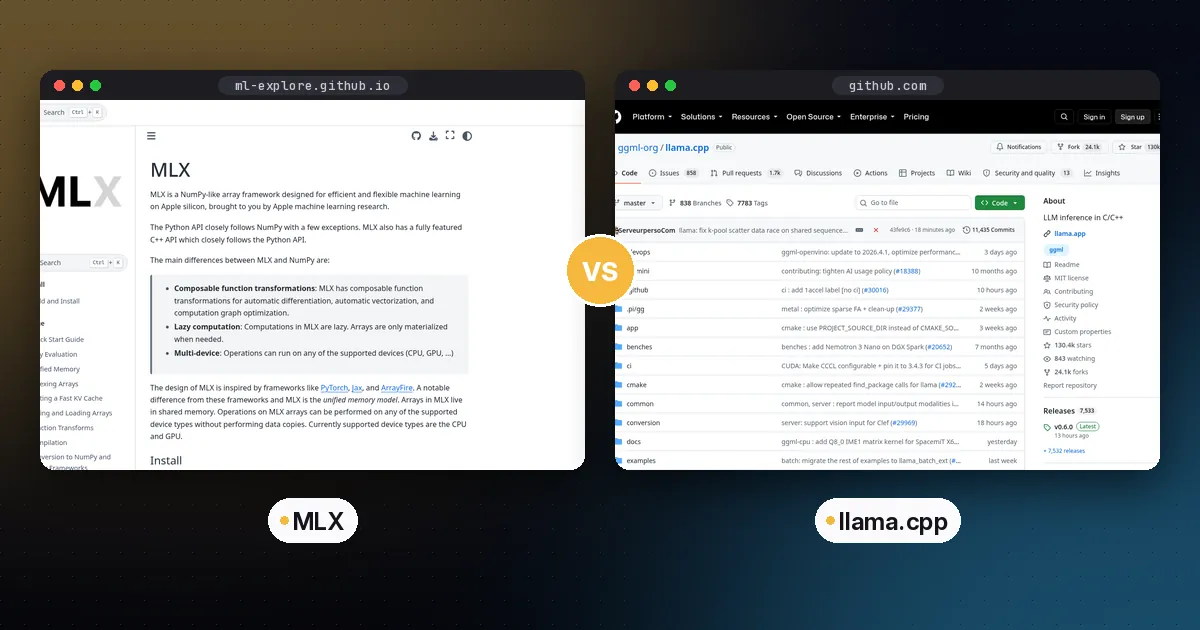
MLX is "an array framework for machine learning on Apple silicon, brought to you by Apple machine learning research," according to its GitHub README. It has a NumPy style Python API, plus C++, C and Swift APIs, and higher level packages that feel like PyTorch (our MLX vs PyTorch comparison covers that framework choice). Arrays live in unified memory, so the CPU and GPU work on the same data without copying it. The same README now documents pip install mlx[cuda] for NVIDIA GPUs on Linux and pip install mlx[cpu] for a CPU only Linux package, but the Mac remains the main target.
For language models, you use mlx-lm. It downloads models from the Hugging Face Hub, generates text, runs a chat loop, quantizes and converts models, serves an HTTP API that resembles OpenAI's, and fine tunes with LoRA. Ready converted models live in the mlx-community organization, and the Hugging Face MLX docs show how to filter the Hub for them. mlx-lm 0.32.2 needs Python 3.11 or newer.
pip install mlx-lm
mlx_lm.chat --model mlx-community/Llama-3.2-3B-Instruct-4bit
mlx_lm.convert --model mistralai/Mistral-7B-Instruct-v0.3 -q   # make your own 4-bit MLX model
What GGUF is
GGUF is the file format read by llama.cpp. The GGUF specification describes it as a binary format designed for fast loading, with everything needed to load the model in one file and support for mmap. It bundles quantized weights with the tokenizer and metadata, and comes in many sizes, from 2 bit to 16 bit. On macOS, llama.cpp's build guide says Metal is enabled by default, so the GPU does the work unless you pass --n-gpu-layers 0. Because the same file runs on a Mac, a Windows gaming PC or a Linux server, GGUF is the most widely published local format. Our guide to GGUF quantization explains names like Q4_K_M, and what is ggml covers the library underneath.
The big change this month: llama.cpp tagged its first numbered release, v1.0.0, on November 13, 2026, with semantic versioning from now on. Its notes list fused MoE work on CUDA and Metal in ggml 1.0.0, FP8 KV caches and several Metal fixes.
How Ollama and LM Studio use them on a Mac
- Ollama announced in March 2026 that it is now powered by MLX on Apple Silicon, starting as a preview in version 0.19. A June update made its MLX engine up to 20 percent faster and added NVIDIA's NVFP4 format, and Ollama 0.31 added multitoken prediction for Gemma 4 on MLX. Ollama 0.30 expanded GGUF support through llama.cpp, which it describes as augmenting the MLX engine. Recent release notes keep tuning both paths: 0.40.12 (Oct 27) brought faster prompt processing on Apple silicon for Gemma 4 and DFlash2 draft models for speculative decoding on MLX, and 0.40.16 (Nov 9, the current stable release) cut memory use for Qwen3.8 Flash Next on Apple silicon by about 27 GiB. In practice, Ollama on a Mac uses MLX for models it has converted and llama.cpp for GGUF files.
- LM Studio supports llama.cpp on every platform and, on Apple Silicon Macs, Apple's MLX as well, according to its documentation. Press Command, Shift and R to open the runtime manager, where you install and switch runtimes, then download both the GGUF and MLX versions of a model to compare them.
If you are still choosing a tool, see our comparison of Ollama vs llama.cpp vs LM Studio.
Which is faster on a Mac?
There is no single answer. Community tests often show MLX ahead on token generation for many models, while llama.cpp can hold its own or win on long prompts, where prompt processing dominates. Results swing with the model architecture, the quantization, the context length, the chip generation and the software version.
Run your own MLX vs GGUF speed test
Both projects ship a benchmark tool, so a fair test takes a few minutes:
mlx_lm.benchmark --model mlx-community/Llama-3.2-3B-Instruct-4bit -p 512 -g 128
llama-bench -hf bartowski/Llama-3.2-3B-Instruct-GGUF:Q4_K_M -p 512 -n 128- Use the same model at the closest bit width in each format (MLX 4 bit against GGUF Q4_K_M).
- Compare prompt speed (the
-ptest) and generation speed separately. - Repeat with a longer prompt, such as
-p 4096, if you feed documents or use coding agents. - Close other apps, plug in a laptop, and run each test more than once.
If you mostly chat, weight generation speed. If you paste long files, weight prompt processing.
What we ran ourselves: we checked these tools on an 8 vCPU Linux box, not a Mac. The CPU only MLX package converted SmolLM2-135M-Instruct to 4 bit (76 MB on disk) and generated text at about 1.3 tokens per second, while llama-bench measured about 381 tokens per second of generation for the Q4_K_M GGUF of the same model on the same CPU. The settings differ and this says nothing about Macs; it only shows that MLX's Linux CPU package is for portability, not speed.
What the published numbers say
The only first party figures we found come from Ollama, and they compare its MLX engine with its own older GGUF path, so they mix the engine change with a format change. Treat them as vendor claims:
| Ollama test | GGUF path | MLX path | Source |
|---|---|---|---|
| Qwen3.5-35B-A3B prefill, tokens per second | 1,154 (Ollama 0.18, Q4_K_M) | 1,810 (Ollama 0.19, NVFP4) | Ollama, March 30 |
| Qwen3.5-35B-A3B decode, tokens per second | 58 | 112 | Same post, tested March 29 |
| Gemma 4 12B decode on an M5 Max, Aider polyglot | not tested | 50.2 without MTP, 95.0 with MTP | Ollama, June 29 |
The Gemma 4 jump comes from speculative decoding with MTP, not from the file format, a reminder that runtime features can matter more than MLX vs GGUF itself.
MLX vs GGUF quality at 4 bit
A 4 bit MLX file and a 4 bit GGUF file are not the same quantization, so answers can differ slightly. Ollama measured perplexity on Gemma 4 12B (lower is better): 17.54 for unquantized BF16, 17.95 for NVFP4 on its MLX engine and 18.36 for GGUF Q4_K_M, which it describes as NVFP4 roughly halving the quality loss of 4 bit quantization. That is one model and one metric from a vendor. GGUF also offers 5, 6 and 8 bit files when you have the memory, which our GGUF quantization guide compares.
Memory: the Mac's real advantage, and its limit
Apple Silicon shares one pool of memory between CPU and GPU, so a Mac with 64 GB or more can load models that no single consumer graphics card can hold. The limit is that macOS caps how much memory the GPU can wire by default. The mlx-lm README says mlx-lm wires the model's memory itself on macOS 15 or newer, and that if a model fits in RAM but runs slowly, you can raise the cap:
sudo sysctl iogpu.wired_limit_mb=NHere N should be larger than the model size in megabytes and smaller than your total memory. Leave room for macOS and your apps; the setting resets on reboot. For long contexts, mlx-lm offers a rotating KV cache (--max-kv-size), a smaller prefill step (--prefill-step-size, default 2048) to cut peak memory, and KV cache quantization with --kv-bits. Our KV cache quantization guide explains the matching settings in llama.cpp and Ollama, and our VRAM guide shows how to estimate what fits; the same maths applies to unified memory.
Fine tuning on a Mac: MLX's other advantage
GGUF is an inference format, so if you want to train on your Mac, MLX is the way. The mlx-lm LoRA guide supports LoRA (the default), DoRA and full fine tuning, and uses QLoRA automatically when you point it at a quantized model. Our guide to fine tune an LLM locally walks through the workflow.
pip install "mlx-lm[train]"
mlx_lm.lora --model <path_or_hf_repo> --train --data ./data --iters 600
mlx_lm.fuse --model <path_or_hf_repo> --export-gguf
Your data folder needs a train.jsonl file, and an optional valid.jsonl. Adapters are saved to adapters/ and mlx_lm.fuse merges them into the model. The --export-gguf option bridges the two formats, but the guide says it only works for Mistral, Mixtral and Llama style models in fp16, so for other models you convert the fused weights with llama.cpp's own tools. For LoRA vs QLoRA vs DoRA, see QLoRA vs LoRA.
Pros and cons
MLX
- Pros: built by Apple for Apple Silicon; uses unified memory directly; often fast at generation; fine tuning on the same machine; Swift API for apps; MIT license.
- Cons: mainly a Mac ecosystem; fewer premade quants for niche models; new architectures need MLX support; the mlx-lm server warns it is not recommended for production because it only implements basic security checks.
GGUF with llama.cpp
- Pros: the largest selection of quantized models; many quant sizes; the same file works on every platform; mature server with continuous batching; versioned releases since v1.0.0; MIT license.
- Cons: inference only; on some Macs and models, slower generation than MLX; many flags to tune.
Which should you download?
- You use LM Studio or Ollama and want the fastest experience: try the MLX build first, then compare with GGUF at your usual prompt length.
- You need a specific fine tune or an unusual quant size: GGUF, because more variants are published.
- You want the same model on your Mac and a Linux GPU box: GGUF.
- You want to fine tune locally: MLX with mlx-lm, starting from a base model like Qwen or Gemma.
- You build Mac or iOS apps: MLX, which has a Swift API.
Who this is for
Mac owners running local models with 16 GB of memory or more. LM Studio's system requirements recommend 16 GB or more, require macOS 14 or newer and say Intel Macs are not supported. For a small model with both MLX and GGUF builds, see how to run LFM3 locally; for when a GPU server makes sense, see Ollama vs vLLM. For image models, see running ComfyUI on a Mac; tinygrad vs MLX compares Apple's framework with a smaller one.
FAQ
Is MLX faster than GGUF on a Mac?
Often for text generation, but not always. Ollama reported decode rising from 58 to 112 tokens per second on Qwen3.5-35B-A3B when it moved from GGUF to MLX, but that also changed the quant format. Results depend on the model, quantization, context length, chip and software version, and llama.cpp can match or beat MLX on long prompts. Run mlx_lm.benchmark and llama-bench on the same model to find out on your Mac.
Can I convert between GGUF and MLX?
From GGUF to MLX, convert from the original Hugging Face weights instead, with mlx_lm.convert and -q for 4 bit; many models are already in the mlx-community organization. From MLX to GGUF, mlx_lm.fuse --export-gguf writes an fp16 GGUF, but only for Mistral, Mixtral and Llama style models.
Does Ollama use MLX on a Mac?
Yes. Since its March 2026 preview, Ollama runs models on Apple Silicon with an engine built on MLX, and it uses llama.cpp for GGUF models.
How much RAM does a Mac need for local LLMs?
16 GB runs small and mid sized models at 4 bit, roughly up to 12 to 14 billion parameters with a modest context. 32 GB to 64 GB opens up 27B to 32B models with longer contexts, and larger mixture of experts models need more. Ollama's MLX preview asked for more than 32 GB for Qwen3.5-35B-A3B.
Is MLX or GGUF better quality?
At the same bit width they are close, but not identical. Ollama's perplexity test on Gemma 4 12B put NVFP4 on MLX closer to the unquantized model than GGUF Q4_K_M. GGUF gives you more sizes, so a 5 or 6 bit GGUF can beat any 4 bit file if it fits in memory.
Does MLX work on Intel Macs?
MLX is built for Apple Silicon. On Intel Macs, use llama.cpp based tools with GGUF files instead; Ollama, for example, supports Intel Macs on the CPU only, so expect much slower performance.