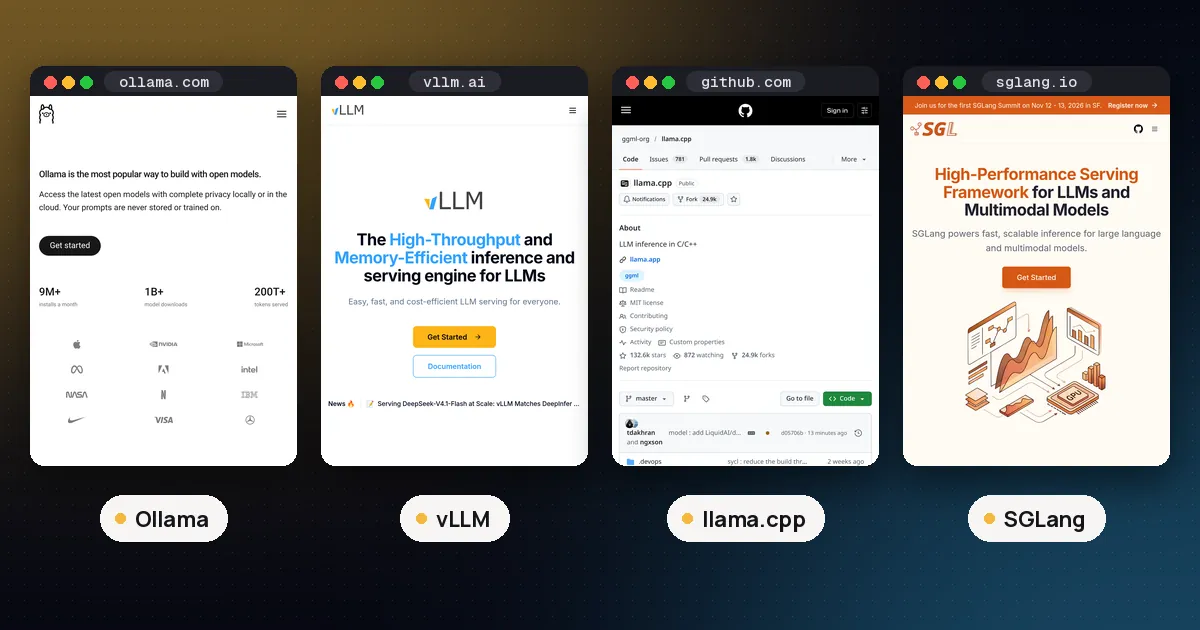
To run Haru-4B locally, you need either an NVIDIA GPU with about 12 GB of memory for the official PyTorch demo, or a Mac with Apple silicon and 16 GB of memory for the official native app. Clone the Haru repository, install the package, start the server and talk to it in your browser at localhost port 8998. If you have neither, the community speech.cpp port runs GGUF versions from 4.52 GB on Vulkan GPUs and, slowly, on a CPU. Ollama, LM Studio and llama.cpp cannot run it.
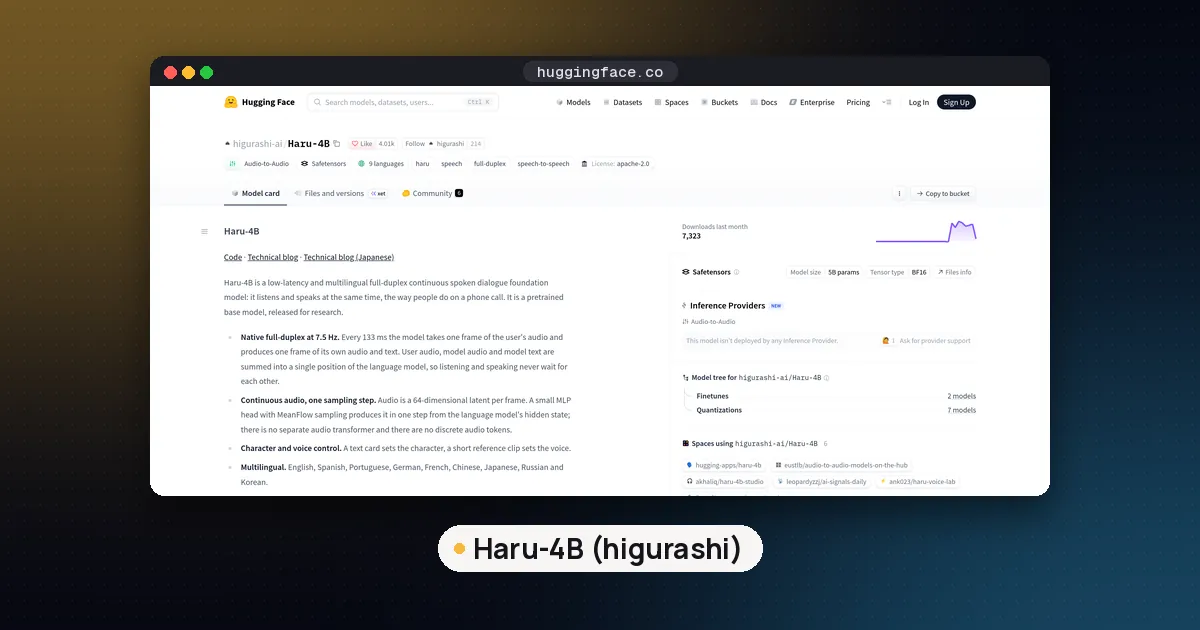
Haru-4B is not a chatbot with a voice bolted on. It is a full duplex speech model: it listens and talks at the same time, the way people do on a phone call, so it can say "mm hm" while you speak and can be interrupted. Below: what it is, the hardware each route needs, setup for GPU, Mac and speech.cpp, and who should bother.
What Haru-4B is
Haru-4B comes from higurashi, a Japanese lab. The weights went up on Hugging Face on November 12, 2026 under the Apache 2.0 license, and the technical blog post followed on November 13. On November 20 it was the top trending model on Hugging Face.
The facts from the model card and blog:
- Backbone: the Qwen3.5-4B text model, 32 layers, hidden size 2560.
- Audio codec: Microsoft's causal VibeVoice acoustic tokenizer at 24 kHz.
- Timing: it runs at 7.5 frames per second. Every 133 ms it takes one frame of your audio and produces one frame of its own audio plus any text it is saying.
- Audio generation: a small four layer MLP head makes each audio frame in one sampling step (MeanFlow), with no separate audio transformer and no discrete audio tokens.
- Languages: English, Spanish, Portuguese, German, French, Chinese, Japanese, Russian and Korean.
- Training: over 40 million hours of real speech in more than 160 languages, with no LLM written or TTS generated dialogues, on 256 NVIDIA B200 GPUs for about eight days.
- Control: a text "character card" sets who it is, and a short reference clip sets its voice.
Read this before you get excited: higurashi calls it a pretrained base model, released for research. It holds a natural conversation, but it is not a reliable source of facts and does not follow instructions the way an assistant does. Treat it as a demo of conversational timing and a starting point for fine tuning, not as a voice version of a chat assistant.
Ways to run Haru-4B locally at a glance
| Route | Hardware | Memory | Best for |
|---|---|---|---|
| Official PyTorch web demo | NVIDIA GPU with CUDA | about 12 GB of GPU memory | Linux or Windows PCs with a big NVIDIA card |
| Official Mac app (MLX) | Apple silicon, macOS 13 or later | 16 GB practical minimum, about 10 GB on disk | Lowest latency on a laptop |
| vLLM-Omni plugin | NVIDIA GPU server | see the deploy config | Many conversations at once behind an API |
| speech.cpp GGUF (community) | Vulkan GPU, Apple Metal or CPU | 4.80 to 10.84 GB peak | Smaller GPUs, AMD cards, Windows without CUDA |
| Ollama, LM Studio, llama.cpp | none | none | Not supported |
The official code ships three implementations that read the same checkpoint: haru for PyTorch, haru_mlx for MLX and haru_vllm for vLLM. All three are also on PyPI as haru-speech, haru-speech-mlx and haru-speech-vllm.
Hardware and memory needs
The single model.safetensors file holds every weight in bfloat16 and weighs 10.54 GB, so plan for about 11 GB of disk with the tokenizer. Our guide to how much VRAM an LLM needs explains the general math; for Haru the published numbers are simpler:
- NVIDIA: the PyTorch package asks for Python 3.10 or later and a CUDA GPU with about 12 GB of memory. A 12 GB card is tight; 16 GB gives room for the browser and desktop.
- Mac: the Mac app's README calls 16 GB of memory the practical minimum. The app starts in bfloat16 and can switch to int8 in its settings, which is smaller and faster.
- Conversation length: in the speech.cpp port, a 60 minute conversation holds about 1.7 GB of attention cache on top of the weights, and a 10 minute one about 0.3 GB.
Latency is where Haru stands out. higurashi reports about 65 ms end to end on a MacBook with an M1 Max using int8 weights and wired audio, with up to 133 ms of extra delay from framing on top. On an NVIDIA B300, audio encoding, decoding and one model step take about 15 ms.
How to run Haru-4B on an NVIDIA GPU
This is the reference route, and the one the model card shows first.
- Install Python 3.10 or newer and a CUDA build of PyTorch. Install
ffmpegif you want to record your voice clip in the browser; WAV, FLAC and Ogg files work without it. - Clone the code and install the package:
git clone https://github.com/higurashi-ai/Haru && cd Haru
pip install -e ./haru- Start the demo server. The first run downloads the checkpoint from the Hugging Face Hub:
python -m haru.server --hf-repo higurashi-ai/Haru-4B- Open
http://localhost:8998, pick a character, upload or record a voice clip, and talk. Browsers only allow microphone access on localhost or over HTTPS.
Two optional extras help. pip install -e "./haru[triton]" adds Triton kernels for the audio codec, which the README says cut encoding or decoding a frame from about 6 ms to 0.7 ms on a recent GPU (turn it on with --codec-backend triton). And --share prints a public link through Gradio's servers so someone else can try your demo; anyone with the link can use it, so leave it off unless you mean it.
For files instead of live talk, the package has an offline command. It plays a recording to Haru and saves its side of the conversation:
haru-inference user.wav reply.wav --reference voice.wav --system-prompt "$(cat card.txt)" --stereoHow to run Haru-4B on a Mac
On Apple silicon the official route is a native app that handles audio with Core Audio and runs the MLX model server in the background.
- Install the Command Line Tools with
xcode-select --install(Xcode itself is not needed). - From the repository's
haru_mlxfolder, create the environment and install:
cd haru_mlx
python3 -m venv .venv && source .venv/bin/activate
pip install -e .
cd swift && ./build_app.sh
open build/Haru.app- Allow microphone access. The first launch downloads the model.
- Fill in the character card, choose a voice clip of 3 seconds to 3 minutes, and click Start conversation. The app shows both voices as waveforms, the words as they are heard and the reply latency.
Build the app on each Mac you use: it records the path of its Python at build time, so a copy moved to another Mac cannot start its server. If you are weighing MLX against GGUF on a Mac more generally, see our MLX vs GGUF comparison.
How to run Haru-4B with speech.cpp and GGUF
If you have an AMD card, an 8 GB NVIDIA card or no GPU at all, the community port in speech.cpp is the practical option. It is an MIT licensed C++ project built on ggml, the same tensor library under llama.cpp (our ggml explainer covers it). Release 0.11.0 on November 15 added Haru, with ready builds for Linux CPU, Linux Vulkan, macOS Metal and Windows Vulkan.
The converted files on the Haru-4B GGUF page use speech.cpp's own layout, so llama.cpp, LM Studio and Ollama cannot read them. Sizes and peak memory as measured on an Apple M5 for a 60 minute conversation:
| Type | File | Peak memory | Quality note |
|---|---|---|---|
| F16 | 10.56 GB | 10.84 GB | Closest to the official model |
| Q8_0 | 6.62 GB | 6.90 GB | Between the official 8 bit and bfloat16; the pick for most |
| Q6_K | 5.61 GB | 5.89 GB | Drifts further than the official 8 bit |
| Q5_K | 5.05 GB | 5.33 GB | Drifts further |
| Q4_K | 4.52 GB | 4.80 GB | Text can break into punctuation runs |
To talk to it through your microphone (wear headphones, or it hears itself):
speech talk haru-4b:q8_0 --live
speech talk haru-4b --add-voice me=me.wav --voice me -o reply.wav question.wav
speech serve haru-4b --open
The port's Haru notes give the practical limits. A live conversation that falls one second behind stops, so the device must finish each step in under 133 ms. Their measured median steps: 34 ms for Q8_0 on an RTX 2080 with Vulkan, 60 ms for Q8_0 on an M5 GPU, and 118 ms for Q8_0 on the M5's CPU, which barely keeps up. On a CPU use Q8_0, since F16 is too slow there. On an 8 GB GPU, Q8_0 needs --max-seconds 600 or less, while Q4_K holds a full hour. For background on these quant names, see GGUF quantization explained.
Serving many conversations with vLLM-Omni
For a GPU server that handles several callers, the haru_vllm plugin registers Haru with vLLM-Omni without patching it. It is tested with vLLM 0.32.0 and vLLM-Omni 0.32.0:
pip install vllm==0.32.0 vllm-omni==0.32.0
pip install -e ../haru -e .
vllm serve higurashi-ai/Haru-4B --omni --deploy-config "$(python -m haru_vllm.deploy)"
It listens on a realtime WebSocket that follows the OpenAI Realtime event format, and the web demo can use it as its engine with --backend vllm. This is a server setup, not a desktop one; our Ollama vs vLLM guide explains when vLLM is worth the extra work.
Voice, character card and audio tips
- Bring your own voice. Haru ships with no voice clips. Give it one speaker, 3 seconds to 3 minutes of clean speech, and only use voices you have the right to use.
- Write a character card. It sets the model's name, your name, its persona, your relationship and the situation. The repository has a
render_cardhelper and templates in each language. - Use wired audio. The README says Bluetooth headphones add 100 ms or more. A MacBook's built in microphone and speakers add tens of milliseconds.
Pros and cons
Pros
- Real full duplex timing: backchannels, overlaps and interruptions, not push to talk turns.
- Apache 2.0 weights and code, with commercial use allowed.
- Small enough for one consumer GPU or a 16 GB Mac, with very low reported latency.
- Three official runtimes plus a community GGUF port.
Cons
- A research base model: weak on facts and does not follow instructions like an assistant.
- No Ollama, LM Studio or llama.cpp support.
- The official PyTorch route needs CUDA; AMD and Intel GPUs depend on the community port.
- Voice imitation from a short clip raises consent questions you have to handle yourself.
Who should run Haru-4B
Run it if you build voice products, study spoken dialogue, or want to fine tune a conversational voice model and need open weights to start from. It is also a fun weekend project if you own a 12 GB NVIDIA card or a 16 GB Mac.
Skip it if you want a voice assistant that answers questions correctly or calls tools. A text model with speech to text and text to speech around it will be more useful today; our list of open source models to run locally covers Whisper and the Ollama speech models, and LFM3 Audio handles recognition and speech output in one small model.
FAQ
Can I run Haru-4B in Ollama or LM Studio?
No. Haru uses its own architecture with an audio codec and a MeanFlow audio head, and neither Ollama nor LM Studio supports it. The GGUF files that exist are in speech.cpp's own layout, and their card says llama.cpp, LM Studio and Ollama cannot run them.
How much VRAM does Haru-4B need?
The official PyTorch demo needs a CUDA GPU with about 12 GB of memory, and the Mac app treats 16 GB of unified memory as the practical minimum. With speech.cpp, peak memory runs from 4.80 GB for Q4_K to 10.84 GB for F16 in a 60 minute conversation, and Q8_0 at 6.90 GB is the usual choice.
Can Haru-4B run on a CPU?
Only through speech.cpp, and only just. Its Q8_0 file took a median of 118 ms per step on an Apple M5's CPU, under the 133 ms limit for a live conversation. The F16 file is too slow on a CPU. The official PyTorch package defaults to CUDA and lists a GPU as a requirement.
Is Haru-4B free for commercial use?
The weights and code are under the Apache 2.0 license, which allows commercial use, changes and redistribution. The VibeVoice codec weights inside are MIT licensed. higurashi releases it as a research base model and asks that you only use voices you have the right to use.
Does Haru-4B work on Windows?
Yes, in two ways. With an NVIDIA card you can install the PyTorch package and run the web demo. With any Vulkan capable GPU, including AMD cards, speech.cpp has a Windows Vulkan build that runs the GGUF files.
What languages does Haru-4B speak?
Its primary languages are English, Spanish, Portuguese, German, French, Chinese, Japanese, Russian and Korean. Its training data spans more than 160 languages, but higurashi only lists those nine as the focus.