To run Unlimited OCR 2 locally today, use the official Transformers code on an NVIDIA GPU, or Baidu's bundled SGLang build if you want a server. The model has 3.34B parameters and its BF16 weights are about 6.7 GB, so the files are small, but version 2 uses a new attention design that mainline llama.cpp, Ollama and LM Studio cannot load yet. Community GGUF files work only with a patched llama.cpp build, and Mac users can try MLX conversions through a development branch of mlx-vlm.
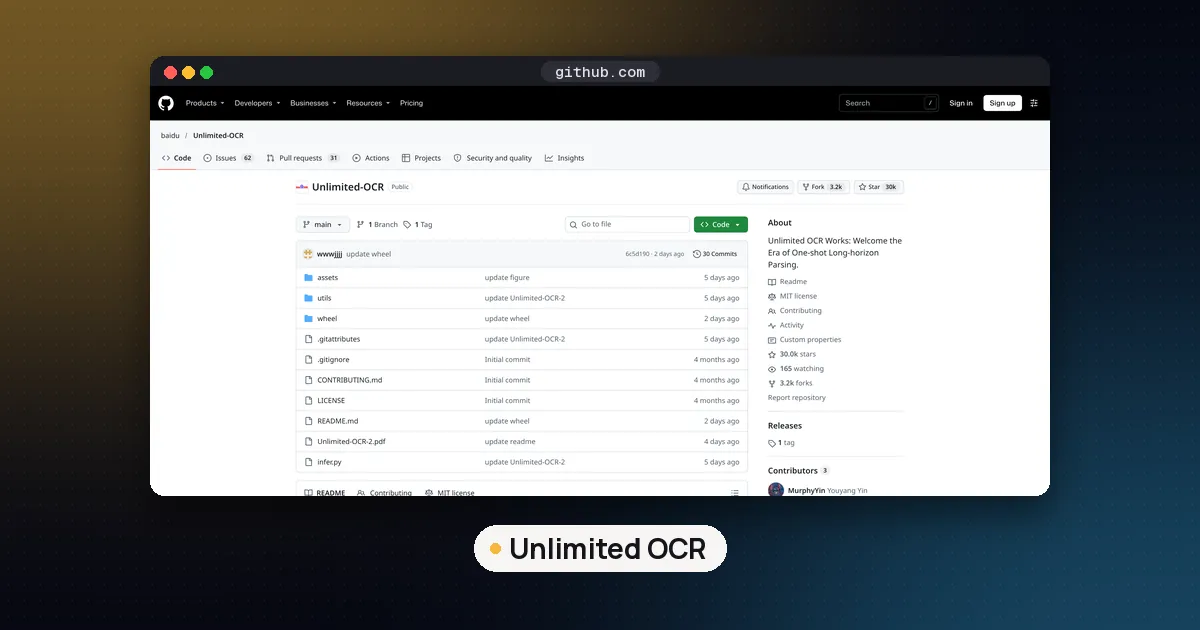
Unlimited OCR 2 is Baidu's open weight document parsing model, released on October 27, 2026 under the MIT license on Hugging Face and GitHub. It reads page images (scans, photos, PDF pages rendered to images) and writes back the text with layout blocks and coordinates. Its selling point is long documents: Baidu says it can parse hundreds of pages in one request without memory growing with the page count.
What Unlimited OCR 2 is
The first Unlimited OCR came out on June 22, 2026, built to push DeepSeek-OCR one step further. Version 2 keeps the same overall shape. According to the model's config.json, the language decoder is a DeepSeek V2 style mixture of experts with 12 layers, 64 routed experts, 2 shared experts and 6 experts active per token. The vision side pairs a SAM ViT-B encoder with a CLIP-L encoder. Hugging Face lists 3,343,978,497 parameters stored in BF16 across two safetensors files.
What changed is attention. The Unlimited OCR 2 paper from the Baidu ERNIE Team introduces Sparse Reference Sliding Window Attention (SR-SWA). Each new token looks at a short window of recent text plus a few of the most relevant image regions on the current page, not every image token from every page. The model card describes this as a fixed set of working references (for example 512 tokens), which keeps per step latency and memory nearly flat as a document grows.
Baidu reports two headline results, both its own measurements: at the hundred page scale, 7.0 times and 5.6 times faster decoding per step than full attention and its earlier R-SWA design, and state of the art scores on MPDocBench and on MarathonDocBench, a new hundred page benchmark Baidu released the same day. We have not run these benchmarks ourselves, so treat them as vendor claims until independent tests appear.
On October 31, 2026 the GitHub repository showed about 30,000 stars, and the v2 model was on the Hugging Face trending list with about 69,000 downloads.
Which way to run it
| Runtime | Works with v2 today? | Hardware | Best for |
|---|---|---|---|
| Transformers (official) | Yes | NVIDIA GPU (Baidu tested an A800 80GB) | Quick tests, scripts, a few documents |
| SGLang (Baidu's custom wheel) | Yes | NVIDIA GPU | A local OpenAI compatible server, batches, very long PDFs |
| llama.cpp with community patch | Yes, patched build only | NVIDIA, CPU, or Mac Metal | Smaller quantized files, no Python stack |
| MLX via mlx-vlm branch | Yes, development branch | Apple silicon Mac | Mac users |
| Ollama and LM Studio | No (v1 community builds only) | Any | Not an option for v2 yet |
| Hosted demo | Yes | Browser | Trying it before you install anything |
To preview the output first, try the official Hugging Face Space.
Run Unlimited OCR 2 with Transformers
This is the reference path. The model card says it was tested with Python 3.10, torch==2.13.0, transformers==4.52.1, huggingface-hub==0.36.0 and tokenizers==0.21.4. Pin those versions in a fresh virtual environment, since the model ships its own Python code.
pip install torch==2.13.0 torchvision pillow transformers==4.52.1 huggingface-hub==0.36.0 \
  tokenizers==0.21.4 addict==2.4.0 einops==0.8.2 easydict==1.13
Then load the model once and parse pages:
import torch
from transformers import AutoModel, AutoTokenizer

model_name = "baidu/Unlimited-OCR-2"
tokenizer = AutoTokenizer.from_pretrained(model_name, trust_remote_code=True)
model = AutoModel.from_pretrained(model_name, trust_remote_code=True, use_safetensors=True,
                                  torch_dtype=torch.bfloat16).eval().cuda()

# One page, tiled ("gundam" mode)
text = model.infer(tokenizer, image_file="doc/page_1.jpg",
                   output_path="output/single", save_results=True)

# A whole document in one request, pages in order ("base" mode)
pages = [f"doc/page_{i}.jpg" for i in range(1, 8)]
text, num_tokens = model.infer_multi(tokenizer, image_files=pages,
                                     output_path="output/multi", save_results=True)
Two things to know. First, trust_remote_code=True runs Python files from the model repository on your machine, so read them or pin a commit. Our safetensors explainer covers why the weight files themselves are safe to load while custom code is a separate question. Second, single page calls tile the image into a global view plus local crops, while infer_multi gives each page one global view and uses context across pages, which is the point of the model.
Run it as a local server with SGLang
Baidu recommends SGLang for serving and ships a customized wheel, sglang-0.5.20.dev13+g75b9b06b02, inside the Hugging Face repository. Stock SGLang releases are not what the card uses, so install the bundled wheel in its own environment:
uv venv --python 3.10
source .venv/bin/activate
uv pip install wheel/sglang-0.5.20.dev13+g75b9b06b02-py3-none-any.whl
uv pip install pymupdf==1.27.2.2
uv pip install fastokens==0.3.2
The launch command on the card sets a long list of environment variables and flags. The ones that matter most on a single home GPU:
SGLANG_UOCR_EANABLE_DOC_LIMIT=1turns on page window scheduling (the spelling is Baidu's), andSGLANG_UOCR_DOC_GUNDAM_PAGE_WINDOW=10sets how many pages go in each window. A smaller window lowers peak memory but, as the card warns, hurts merging of blocks that cross a window boundary.--mem-fraction-static 0.7is the share of GPU memory reserved for weights and KV cache. Baidu found 0.75 left too little headroom at 32 or more concurrent requests.--max-prefill-tokens 2048drives a temporary tensor whose size grows linearly with this value, so lowering it from 4096 to 2048 halves that peak.
The server listens on port 10000 with an OpenAI compatible /v1/chat/completions endpoint. The card's client script renders a PDF to 300 DPI images with PyMuPDF, sends every page with the prompt <PAGE><image> repeated once per page plus Multi page parsing., sets temperature to 0 and applies a no repeat n gram logit processor. Copy that script, because its custom parameters are easy to get wrong. If you are new to the engine, our SGLang vs vLLM vs llama.cpp comparison explains where it fits.
The vLLM recipe for Unlimited OCR covers version 1 only. On October 31 there was no vLLM recipe page for version 2.
Run Unlimited OCR 2 GGUF with patched llama.cpp
This route gives smaller files and no Python stack, but needs a build from source. The RX5950XT GGUF card explains why: mainline llama.cpp supports Unlimited OCR v1 and DeepSeek-OCR, not v2, and will not load files with the unlimited-ocr2 architecture. Its author measured what happens if you convert v2 the v1 way with ordinary attention: a single page came out only 5.6% similar to the original model's text. The included patch adds the page aware position encoding and the sparse routed attention to llama.cpp.
Steps from the card, tested on llama.cpp build b11913 (released October 26):
git clone https://github.com/ggml-org/llama.cpp
cd llama.cpp
git checkout b11913
hf download RX5950XT/Unlimited-OCR-2-GGUF llama.cpp-patch/unlimited-ocr2.patch --local-dir .
git apply --check llama.cpp-patch/unlimited-ocr2.patch
git apply llama.cpp-patch/unlimited-ocr2.patch
cmake -B build -DGGML_CUDA=ON
cmake --build build --config Release -j --target llama-mtmd-cli llama-server
Drop -DGGML_CUDA=ON without an NVIDIA GPU; Metal is used on a Mac automatically. Then parse a page:
./build/bin/llama-mtmd-cli \
  -m Unlimited-OCR-2-Q8_0.gguf --mmproj mmproj-Unlimited-OCR-2-F16.gguf \
  --jinja --temp 0 -c 32768 -n 8000 \
  --image page.png \
  -p "<PAGE><__media__>Multi page parsing."
For several pages, pass images separated by commas (repeating --image keeps only the last one), add one <PAGE><__media__> per page to the prompt, and add --image-max-tokens 273 to match Baidu's one view per page mode. llama-server with the same model files gives you an OpenAI compatible endpoint on port 8080.
GGUF file sizes
Sizes below are the file sizes Hugging Face lists for each repository on October 31. Every text model file needs the vision projector file next to it.
| File | Size | Notes from the uploader |
|---|---|---|
| BF16 GGUF | 5.88 GB | Same weights as the original |
| Q8_0 | 3.13 GB | Recommended by both uploaders |
| Q6_K (AtomicChat) | 2.74 GB | Close to Q8_0 |
| Q4_K_M (RX5950XT) | 2.16 GB | Key layers kept at Q8_0, router kept in BF16 |
| Q4_K (AtomicChat) | 2.02 GB | Smallest listed |
| mmproj F16 | 0.83 GB | Vision encoder, required with every quant |
On 64 OmniDocBench pages, the RX5950XT author reports that recognized text matched the BF16 model at a mean of 99.46% for Q8_0 and 99.18% for its Q4_K_M build, with most differences coming from layout splits and shifted boxes rather than misread characters. These are community measurements. The AtomicChat GGUF card offers extra sizes and needs the same patched build. For background on quant names, see our GGUF quantization guide.
Run Unlimited OCR 2 on a Mac with MLX
The mlx-community organization publishes BF16, 8 bit and 6 bit conversions for MLX. The 8 bit card quantizes only the language model, keeps the vision towers and the router in BF16, and its weights file is 3.93 GB. Support for the new attention is still being upstreamed to mlx-vlm, so the card says to install from a branch:
pip install -U "git+https://github.com/shuuul/mlx-vlm.git"
mlx_vlm.generate --model mlx-community/Unlimited-OCR-2-8bit --image page.png \
    --prompt "Multi page parsing." --max-tokens 8192 --temperature 0
Pass several images after --image and raise --max-tokens for a multipage document. Expect this branch to change. Our MLX vs GGUF on Mac guide explains how to choose between the two formats in general.
Why Ollama can't run Unlimited OCR 2 yet
Ollama and LM Studio run models through mainline llama.cpp, and mainline llama.cpp cannot load v2. The Unlimited OCR pages in Ollama's library are community uploads: richardyoung/unlimited-ocr (2.8 GB) and frob/unlimited-ocr (6.7 GB at f16). Both appear to package the original v1 model, which mainline llama.cpp does support. They work for single pages, but without v2's long document attention. Once v2 support lands in llama.cpp, Ollama and LM Studio should follow.
How much memory you need
Baidu publishes no minimum hardware; its only stated test machine is an NVIDIA A800 with 80 GB. From the files: the BF16 weights are about 6.7 GB, the 8 bit MLX build is about 3.9 GB, and the smallest GGUF plus its vision projector is under 3 GB. On top of the weights you need room for the vision encoders' activations and the KV cache, which grow with the number of pages in a window and the output length. A 12 GB or 16 GB card is a reasonable starting point for the Transformers route with a few pages at a time, but test with your own documents and lower the page window if you run out. Our VRAM guide explains how to estimate the overhead.
Reading the output
The model does not write plain text. Each page starts with <PAGE>, and each block looks like <BLOCK>label[x0, y0, x1, y1]<FORK>text, with coordinates normalized to 0 to 1000. Blocks that continue across a page break carry cross_ or append_ labels so you can stitch paragraphs back together. The mlx-community card notes that the upstream repository ships a converter to Markdown, which is what most people want for RAG or search indexing.
Pros and cons
Pros
- MIT license, so commercial use is allowed
- Small model (3.34B parameters) with weights under 7 GB at full precision
- Built for whole documents, with layout blocks and coordinates
Cons
- No support in mainline llama.cpp, Ollama or LM Studio yet
- SGLang route depends on a custom wheel, not a normal release
- Custom model code means
trust_remote_code=True - Headline benchmarks are Baidu's own so far
Who it is for
Unlimited OCR 2 suits developers who need to turn long PDFs (reports, books, manuals, filings) into structured text on their own hardware, especially with an NVIDIA GPU. If you want a one command install on a laptop, wait for upstream llama.cpp support or use the v1 community builds in Ollama for single pages. To describe images rather than parse them, a general vision model such as Gemma 4 is simpler.
FAQ
Is Unlimited OCR 2 free for commercial use?
Yes. Both the Hugging Face model and the GitHub repository are released under the MIT license, which allows commercial use as long as you keep the license notice.
Can I run Unlimited OCR 2 in Ollama?
Not yet. Ollama relies on mainline llama.cpp, which supports Unlimited OCR v1 but not v2. The Unlimited OCR models in Ollama's library appear to be community uploads of v1.
Where are the Unlimited OCR GitHub and Hugging Face pages?
The code is at github.com/baidu/Unlimited-OCR and the weights are at huggingface.co/baidu/Unlimited-OCR-2 (version 1 stays at baidu/Unlimited-OCR). Baidu also lists a ModelScope mirror and a Hugging Face Space demo.
What is the difference between Unlimited OCR 1 and 2?
Version 2 keeps the same decoder size but replaces its attention with Sparse Reference Sliding Window Attention, so it attends to a fixed number of recent tokens and relevant image regions instead of every page. Baidu says this keeps memory and per step speed nearly constant as documents get longer.
Can I run Unlimited OCR 2 without a GPU?
Only through the patched llama.cpp build, which can run on CPU or on Apple silicon with Metal. The official Transformers and SGLang paths call .cuda() and assume an NVIDIA GPU.
Can I fine tune Unlimited OCR 2?
Yes. Baidu's release notes say the ms-swift framework added training support for Unlimited OCR 2 on October 28, 2026.