Yes, you can run Mistral Large 4 locally, but only on a very large machine. The smallest working build is Unsloth's 1 bit GGUF at 233 GB, which Unsloth says fits in 256 GB of RAM or unified memory. Two bit builds need roughly 310 to 390 GB, and the official FP8 weights are about 1.06 TB, which means a multi GPU server running vLLM or SGLang. Ollama only offers it as a cloud model, so llama.cpp build b11998 or newer is the realistic desktop route.
This guide lists the real file sizes and memory needs for every format published so far, the commands that work today, what the license allows when you host it yourself, and who should just use the API instead. Nothing here was run on our own hardware; every number comes from Mistral or the people who publish the builds, checked on October 30, 2026.
What Mistral Large 4 is
Mistral Large 4, nicknamed "Le Chonk," is the flagship model from Mistral AI. It entered public preview on the Mistral API on October 6, and Mistral released the weights on October 29 in its open weights announcement. The released build had more reinforcement learning than the preview.
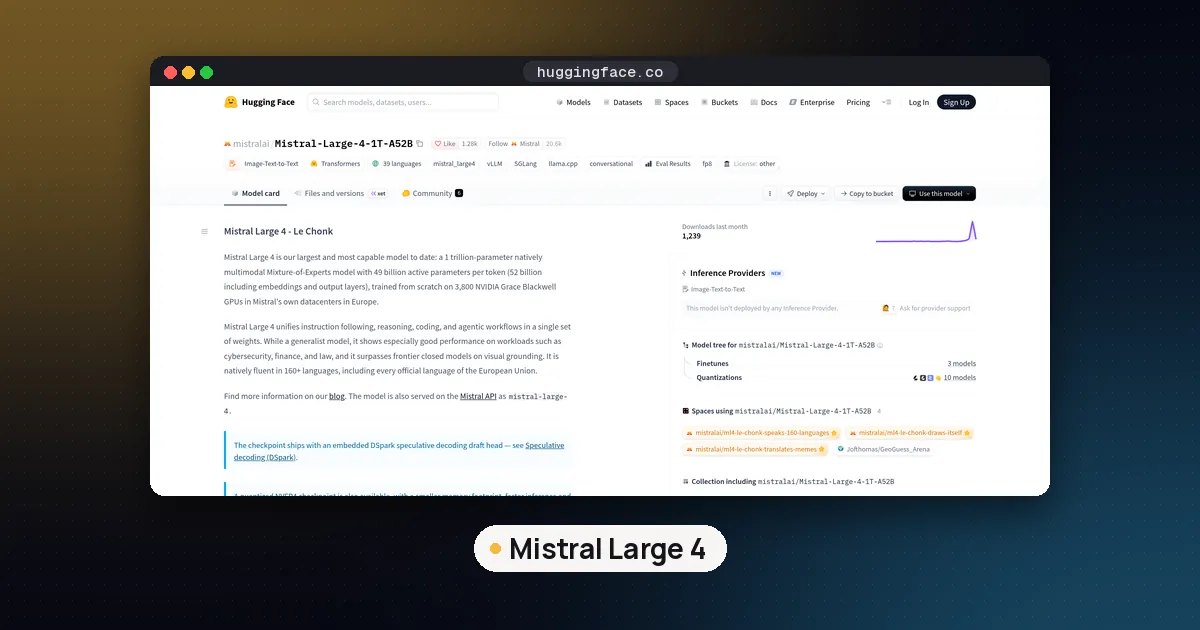
The Hugging Face model card gives the shape of the model:
- About 1 trillion total parameters, with 49 billion active per token (52 billion counting embeddings and output layers).
- Mixture of Experts: 128 routed experts, 4 active per token, plus 1 shared expert.
- 1M token context (1,048,576 tokens).
- Text and image input, text output, through a Pixtral style vision encoder.
- Reasoning effort per request:
low,mediumorhigh, withhighas the default. The ggml-org GGUF card notes that reasoning cannot be switched off. - A built in DSpark draft head for speculative decoding.
The active parameter count is what makes local use thinkable at all. Each token only touches a small slice of the weights, so the model generates faster than a dense model of the same size. You still have to store all of it, though, and that is the hard part. Our VRAM guide explains why MoE models are fast but not small.
Mistral Large 4 hardware requirements
These are the published builds as of October 30, with download sizes from each Hugging Face repository. "Memory" means GPU memory plus system RAM combined, or unified memory on a Mac or DGX Spark.
| Build | Download | Memory guidance | Runs in |
|---|---|---|---|
| Unsloth UD-IQ1_S (1 bit) | 233 GB | 256 to 270 GB (Unsloth) | llama.cpp, Unsloth |
| Unsloth UD-IQ1_M | 260 GB | 256 to 270 GB (Unsloth) | llama.cpp, Unsloth |
| ggml-org IQ2_XXS | 298 GB | fits 512 GB unified memory (ggml-org) | llama.cpp |
| Unsloth UD-Q2_K_XL | 378 GB | 310 to 390 GB (Unsloth) | llama.cpp, Unsloth |
| MLX Text 2bit | 338 GB | about 338 GB peak in a short test | mlx-lm on a Mac |
| Unsloth UD-Q3_K_XL | 493 GB | 435 to 500 GB (Unsloth) | llama.cpp, Unsloth |
| MLX Text 4bit | 590 GB | more than the download | mlx-lm on a Mac |
| Unsloth UD-Q4_K_XL | 605 GB | about 630 GB (Unsloth) | llama.cpp, Unsloth |
| Official NVFP4 checkpoint | 610 GB | Blackwell data center GPUs | vLLM, SGLang |
| Official FP8 checkpoint | 1.06 TB | multi GPU server | vLLM, SGLang, Transformers |
The memory ranges come from Unsloth's Mistral Large 4 guide. Unsloth adds that your total memory should exceed the file size, with room left for the operating system, the KV cache and runtime buffers, and that longer contexts need more. The vision encoder is a separate 3.4 GB mmproj file in the GGUF repos.
A quick sanity check on the server numbers: eight 80 GB GPUs give you 640 GB in total. That is enough for the 610 GB NVFP4 files only on paper, and not enough for the 1.06 TB FP8 files at all. Mistral's FP8 example uses eight GPUs with tensor parallelism, so plan on a node whose combined memory clearly exceeds 1.06 TB plus KV cache.
Option 1: llama.cpp with a GGUF
Support for the new architecture landed in llama.cpp pull request 31376, merged on October 29. The first release build that includes it is b11998, published that evening (Eastern time). Older builds will not load these files, so update first.
Steps:
- Build or download llama.cpp b11998 or newer. On Linux with an NVIDIA card, build with
-DGGML_CUDA=ON; on a Mac, Metal is on by default. - Pick a quant from the table that fits your total memory with headroom to spare.
- Start the server. Unsloth's guide uses its 2 bit build with a 32K context to keep the KV cache small:
./llama.cpp/build/bin/llama-server \
    -hf unsloth/Mistral-Large-4-1T-A52B-GGUF:UD-Q2_K_XL \
    --ctx-size 32768 \
    --temp 1.0 --top-p 0.95 --top-k 0 --min-p 0.0 \
    --chat-template-kwargs '{"reasoning_effort":"high"}' \
--host 127.0.0.1 --port 8080- Open
http://127.0.0.1:8080to chat, or point any OpenAI compatible client athttp://127.0.0.1:8080/v1.
If you download the shards yourself, keep them all in one folder and point --model at the first file; llama.cpp loads the rest. The ggml-org GGUF repo offers plain Q2_K (381 GB), IQ2_XXS (298 GB) and Q4_K_M (635 GB) as an alternative to Unsloth's dynamic quants. If those quant names are new to you, our GGUF quantization guide explains them.
Prefer a window to a terminal? Unsloth Desktop on macOS, Windows and Linux searches the model hub, downloads the quant and picks offload settings for you.
Which quant should you choose?
Unsloth measured how often each quant picks the same top token as the original model across its test categories:
| Quant | Size | Top 1 agreement (Unsloth) |
|---|---|---|
| UD-IQ1_S | 233 GB | 90.6% |
| UD-IQ2_XXS | 302 GB | 93.9% |
| UD-Q2_K_XL | 378 GB | 95.6% |
| UD-Q3_K_XL | 493 GB | 96.6% |
| UD-Q4_K_XL | 605 GB | 97.8% |
These are Unsloth's own figures, not independent tests. The pattern is still useful: the jump from 1 bit to 2 bit buys more fidelity than any later step, so take the 2 bit build if your memory allows it.
Option 2: MLX on a Mac
The mlx-community group has text only conversions at 2 bit (338 GB), 3 bit (459 GB) and 4 bit (590 GB). The 2 bit card says the vision encoder and DSpark head are left out, that peak memory was about 338 GB in a short generation test, and that it was tested with a development build of mlx-lm (0.32.3.dev13). Run pip install -U mlx-lm and check that your version actually loads it.
So MLX gives a Mac with enough unified memory a native option, but you lose image input. If you want vision on a Mac, use the GGUF route with the mmproj file instead. Our MLX vs GGUF guide covers that tradeoff in general.
Option 3: full weights with vLLM or SGLang
This is the route Mistral recommends, and it is a server job. The model card's vLLM example uses the dedicated Docker image vllm/vllm-openai:mistral-large-4:
docker run --runtime nvidia --gpus all \
  -v ~/.cache/huggingface:/root/.cache/huggingface \
  -p 8000:8000 --ipc=host \
  vllm/vllm-openai:mistral-large-4 \
  --model mistralai/Mistral-Large-4-1T-A52B \
  --tensor-parallel-size 8 \
  --tool-call-parser mistral --reasoning-parser mistral \
  --enable-auto-tool-choice \
  --gpu-memory-utilization 0.85
The two parser flags are required for tool calls and for separating reasoning from the answer. If you run short of memory, lower --max-model-len or --max-num-seqs.
The NVFP4 checkpoint cuts the download to 610 GB. Mistral says it targets Blackwell GPUs (B200, B300, GB200 and GB300) and matched the FP8 checkpoint across its evaluations. On vLLM it also needs --kv-cache-dtype fp8_ds_mla. Mistral's SGLang example for NVFP4 uses --tp-size 4 on a Blackwell node, against 8 for FP8.
To turn on the DSpark draft head in vLLM, add --speculative-config '{"method": "dspark", "num_speculative_tokens": 3}'. Mistral says it measured up to 1.9 times the throughput of serving without it, with identical outputs, and that real gains depend on your hardware and workload. Our speculative decoding guide explains how draft heads work. If you are choosing between the two servers, see Ollama vs vLLM and SGLang vs vLLM on DGX Spark.
Can you run Mistral Large 4 in Ollama?
Not locally, as of October 30. The Ollama library page lists a single tag, mistral-large-4:cloud, which runs on Ollama's servers and bills per token. There is no downloadable tag. If you like Ollama's workflow, the closest local equivalent is llama-server from Option 1, which speaks the same OpenAI style API.
The license when you self host
The weights use the Mistral Ecosystem Open Weight License, a modified MIT license. You can use, modify, fine tune, redistribute and sell products built on it, with one condition: if you or an affiliate run a Model as a Service business, you need a separate commercial license from Mistral before using the model commercially.
The license defines that as giving a third party access to the model for inference or post training (for example through an API or hosted endpoint) in a way that lets them meaningfully control the inputs, parameters or training data. It excludes products where the model is embedded inside specific features, and internal use that never exposes the model to third parties. Running it on your own servers for your own team is fine. Reselling it as an API is not, without that extra deal. Our open weight vs open source guide compares this license with Apache 2.0 and MIT models.
Pros and cons of running it yourself
Pros:
- Weights, prompts and outputs stay on your hardware, which suits strict data residency rules.
- Fine tuning is supported: the model card points to Axolotl, Unsloth and TRL.
- Text and image input plus a 1M token context in one downloadable model.
- Mostly permissive terms for internal and product use.
Cons:
- Even the smallest build needs about 256 GB of memory, so no ordinary gaming PC or laptop will do.
- Low bit quants trade away fidelity, by Unsloth's own measurements.
- No local Ollama build yet, and llama.cpp support is only a day old.
- Mistral itself says to use its API if local serving falls short. The API price is $0.70 per million input tokens and $2.10 per million output tokens.
Who it's for
- Mac owners with 256 GB or more of unified memory: try the 1 bit GGUF, or the 2 bit GGUF or MLX build with 512 GB.
- Workstations with lots of RAM plus a GPU: llama.cpp with offloading to system RAM, starting with UD-Q2_K_XL if you have the memory.
- Teams with a Blackwell or eight GPU node: NVFP4 or FP8 in vLLM or SGLang, with DSpark on.
- Everyone else: use the API, or pick a smaller model from our open weight model leaderboard. Our DeepSeek V4.1 Flash local guide covers a giant model with a cheaper local route.
FAQ
Can I run Mistral Large 4 locally on a gaming PC?
Not in a useful way. The smallest build is 233 GB, and Unsloth says you need 256 to 270 GB of combined RAM and VRAM for it. A typical gaming PC with one GPU and 32 or 64 GB of RAM is far short of that.
How much VRAM does Mistral Large 4 need?
It depends on the format. The official FP8 weights are about 1.06 TB and the NVFP4 build is 610 GB, both meant for multi GPU servers. With llama.cpp, VRAM and system RAM add up together, so a GGUF build needs 256 GB to about 630 GB of total memory depending on the quant.
Is there a Mistral Large 4 GGUF?
Yes. Unsloth publishes dynamic quants from 233 GB (1 bit) to 1.12 TB (8 bit), and ggml-org publishes Q2_K, IQ2_XXS, Q4_K_M, Q8_0 and an NVFP4 GGUF. You need llama.cpp build b11998 or newer.
Can Mistral Large 4 run on a Mac?
Yes, if it has enough unified memory. Unsloth says its 1 bit build fits on 256 GB, including a Mac Studio, and ggml-org says its 2 bit builds fit in 512 GB. The MLX conversions are text only.
Is Mistral Large 4 free for commercial use?
Mostly. The license allows commercial use, modification and fine tuning. The exception is a Model as a Service business, which needs a separate commercial license from Mistral.
Which reasoning effort should I use?
Mistral recommends high (the default) for complex prompts and agent work, medium for everyday tasks and low for quick chat replies, with temperature 1.0 and top p 0.95 at every level.