To run LFM3 locally, install Ollama 0.40.13 or newer and type ollama run lfm3. That pulls Liquid AI's 1.7B text model, a download of about 1.1 GB at 4 bit, and it now works on Linux and Windows as well as Apple silicon. If you prefer llama.cpp, use build b11960 or newer with the official LiquidAI/LFM3-1.7B-GGUF files. The 4 bit text model needs about 1 GB of memory for its weights, so most laptops have room for it; the vision, audio and omni versions need roughly 1.5 to 2.4 GB for their default downloads.
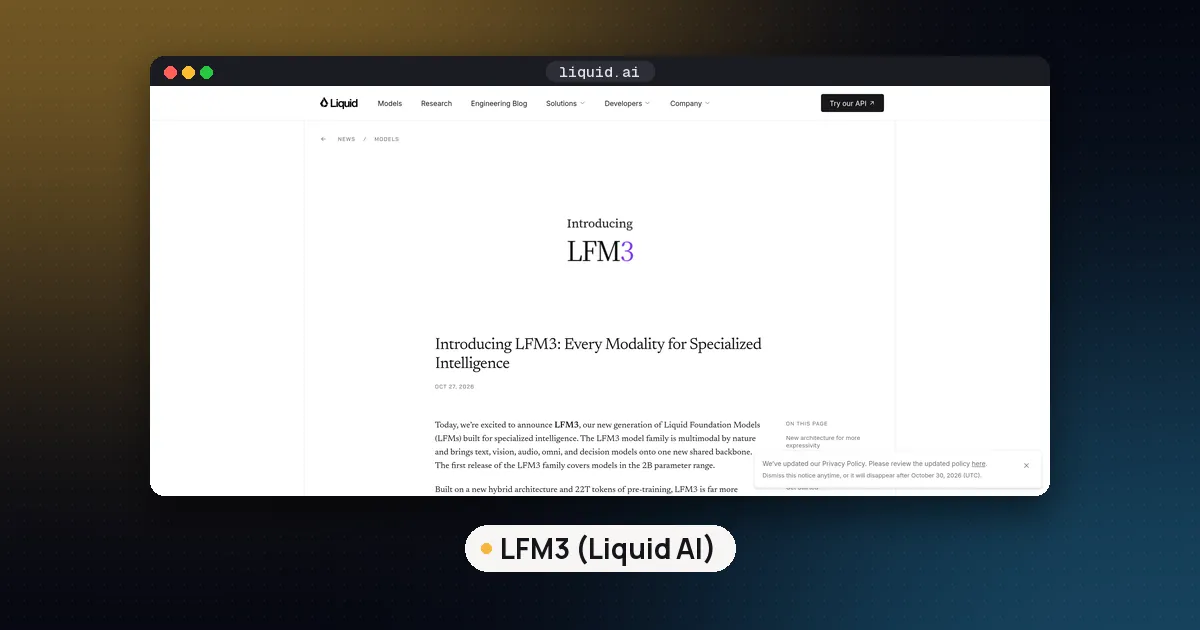
LFM3 is the third generation of Liquid Foundation Models, announced on Liquid AI's blog on October 27, 2026. It is a small family built for local agents, tool calling and structured output, not a giant chat model. This guide covers what is in the family, which build to download, the exact commands for Ollama, llama.cpp and LM Studio, how much memory each quant takes, and what the license allows. If you want Liquid's bigger model, see our guide to running LFM2.5 24B locally.
What LFM3 is
LFM3 uses what Liquid calls a tri hybrid architecture. The LFM3-1.7B model card lists 24 layers: 13 gated short convolution layers, 5 sliding window attention layers and 6 global attention layers. Convolutions are cheap to run, so the model stays fast on phones and laptops, while the attention layers handle long context. The text model has 1.73B parameters, a 256K token context window, a 128,000 token vocabulary and support for 16 languages, including English, Chinese, Arabic, Hindi, Japanese, Spanish and Polish.
Liquid trained the base model on 22T tokens in total, then post trained it with supervised fine tuning, mixed reinforcement learning, distillation from six specialist teacher models and a final round of agentic RL inside real agent harnesses. The card says it was tuned for harnesses such as Hermes Agent, Pi and OpenClaw.
The card is also clear about limits. Liquid recommends LFM3-1.7B for local agents, tool calling, structured output and fine tuning on your own domain, and says it is not recommended for agentic coding or complex multistep reasoning because of its size. For knowledge heavy questions, it suggests pairing the model with retrieval or search.
The LFM3 family at a glance
The first release covers six 2B class models trained from the same base. These are the versions you can pull from the Ollama library today, with the default download size Ollama lists for each:
| Model | Ollama name | What it does | Default size | Context |
|---|---|---|---|---|
| LFM3 1.7B | lfm3 | Text, tools, structured output | 1.1 to 1.7 GB | 256K |
| LFM3 VL 2B | lfm3-vl | Adds image understanding | 1.5 to 1.7 GB | 125K |
| LFM3 Audio 2B | lfm3-audio | Speech recognition, translation, text to speech | 1.7 to 2.1 GB | 125K |
| LFM3 Omni 2B | lfm3-omni | Text, images and audio in one model | 2.0 to 2.4 GB | 125K |
| d1 2B | d1:2b | Decision model: classify, yes or no, scoring | 3.9 GB | 125K |
The Ollama 0.40.12 release notes describe lfm3-audio as covering speech recognition, translation and text to speech in 18 languages, and lfm3-omni as text, images and audio in one model. Ollama's own library page for lfm3-omni adds video input and spoken answers. The d1 models are a separate decision family: you give them text or an image plus a question, and they return a decision instead of free text. Note that plain d1 in Ollama still points to the older 3B model built on LFM2.5 VL, so ask for d1:2b if you want the LFM3 based one.
Hardware and memory by quant
The text model is small enough that memory is rarely the problem. These are the file sizes from the official LFM3-1.7B-GGUF repository:
| GGUF file | Size | When to use it |
|---|---|---|
LFM3-1.7B-QAD-Q4_0.gguf | 1.05 GB | Smallest file; trained to recover 4 bit accuracy loss |
LFM3-1.7B-Q4_K_M.gguf | 1.10 GB | Default 4 bit choice for most laptops |
LFM3-1.7B-Q5_K_M.gguf | 1.26 GB | A little more quality, still tiny |
LFM3-1.7B-Q6_K.gguf | 1.43 GB | Close to 8 bit quality |
LFM3-1.7B-Q8_0.gguf | 1.85 GB | Near lossless; good if you have memory to spare |
LFM3-1.7B-BF16.gguf | 3.47 GB | Full precision, for testing or conversion |
Liquid says the text model takes about 1 GB of memory at 4 bit precision. That figure is for the weights. Context adds more on top: the key and value cache grows with every token you keep in the window, so a long agent session near the 256K limit needs far more memory than a short chat. Liquid does not publish a per token cache figure, so start with a smaller context (8K to 32K) and raise it if you have room. Our guide on how much VRAM an LLM needs explains the cache math, and KV cache quantization shows how to shrink it in llama.cpp and Ollama.
The QAD Q4_0 file is worth a look. Liquid says it is a Quantization Aware Distillation checkpoint, trained so the 4 bit version keeps more of the full model's accuracy. If you are unsure which quant to choose, our GGUF quantization guide explains the naming.
How to run LFM3 locally with Ollama
Ollama is the quickest path. Support arrived in version 0.40.12 on October 27 for Apple hardware only, and the Ollama 0.40.13 release on October 28 added Linux and Windows for lfm3, lfm3-audio and lfm3-omni.
- Install or update Ollama and confirm the version with
ollama --version. You need 0.40.13 or newer on Linux or Windows, and 0.40.12 or newer on a Mac. - Pull and start the text model:
ollama run lfm3- Pick a specific quant if you want one. The library lists
lfm3:1.7b-qad-q4_0(1.0 GB),lfm3:1.7b-q4_K_M(1.1 GB),lfm3:1.7b-q8_0(1.8 GB) andlfm3:1.7b-bf16(3.5 GB), plus MLX builds for Macs such aslfm3:1.7b-mxfp8. - For the other versions, swap the name:
ollama run lfm3-vl,ollama run lfm3-audioorollama run lfm3-omni. - To call it from code, use the local API on port 11434 the same way you would any other Ollama model.
The Ollama library page also lists launch commands for agent tools, for example ollama launch hermes --model lfm3 and ollama launch openclaw --model lfm3, which match the harnesses Liquid trained against.
If ollama run lfm3 fails to load the model, check the version first: anything older than 0.40.12 does not know the LFM3 architecture, and Linux or Windows needs 0.40.13.
How to run LFM3 with llama.cpp
llama.cpp supports LFM3 from build b11960, also tagged v0.8.0, according to the GGUF model card. Older builds will not load the new layer mix. With a current build, you can pull a quant straight from Hugging Face:
llama-cli -hf LiquidAI/LFM3-1.7B-GGUF:Q4_K_M \
  --temp 0.1 --top-k 50 --repeat-penalty 1.1
Those are Liquid's recommended settings for chat, tool use and agents. For math and science, the card suggests --temp 1.0 --top-p 0.95 --top-k 20 instead. To serve an OpenAI compatible endpoint, use llama-server with the same -hf argument and add -c to set the context length.
Reasoning is on by default: the chat template opens a thinking block before each answer. You can turn it off with enable_thinking=False in the template, but the card warns this can be inconsistent on reasoning heavy tasks.
LM Studio, MLX and other runtimes
- LM Studio: the GGUF card says LM Studio works on macOS, Windows and Linux with llama.cpp engine 2.65.1 or newer. Search for
LiquidAI/LFM3-1.7B-GGUFin the model browser. - MLX on Apple silicon: Liquid publishes 4 bit and 5 bit MLX builds such as
LiquidAI/LFM3-1.7B-MLX-4bitfor mlx-lm. Our MLX vs GGUF guide helps you choose between the two formats on a Mac. - GPU serving: the model card lists BF16 weights for vLLM, SGLang and Transformers, plus FP8 and NVFP4 builds for SGLang. Transformers needs
trust_remote_code=Truebecause the architecture ships as custom code in the repository. - ONNX Runtime: there are ONNX builds for cross platform apps, including
LiquidAI/LFM3-Omni-2B-ONNX.
Tool calling and structured output
Tool calling is the main reason to pick LFM3. You pass function schemas through the chat template, and the model writes calls in an XML style block (<tool_call> with <function=...> and <parameter=...> tags). Your app runs the function and passes the result back as a tool message.
LFM3 also supports deferred tools. You can keep a large tool catalog out of the prompt and give the model a single search tool; when the search returns a tool name, the template inserts that tool's definition. The model card says this works with vLLM, SGLang and LFM3 compatible llama.cpp builds, and that llama.cpp needs a GGUF with the current chat template or the --chat-template-file flag.
Benchmarks Liquid reports
All of these numbers are Liquid's own, from the LFM3-1.7B model card, measured with vLLM in BF16. We did not run them. Liquid reports BFCL V4 at 71.39 for LFM3-1.7B against 62.83 for Qwen3.5-9B, IFEval at 96.66, and an average across its whole table of 49.37, compared with 31.55 for its own LFM2.5-2.6B and 47.24 for Qwen3.5-9B. The same table shows where a 1.7B model falls short: on GPQA Diamond it scores 63.37 against 80.40 for Qwen3.5-9B, and on SWE-bench Verified 43.40 against 51.20.
The practical reading: expect strong instruction following and tool use for the size, and weaker general knowledge and coding than larger models. For an independent view, check the open weight model leaderboard once LFM3 appears on public boards.
The license: LFM Open License v1.0
LFM3 is open weight, but it is not Apache 2.0. The LFM Open License v1.0 grants free use, modification and redistribution, with one commercial limit: commercial use is licensed only if your organization's annual revenue is below a threshold of $10,000,000. A company above that needs a separate deal with Liquid AI. Qualified nonprofits are exempt from the threshold for non commercial or research use. Read the full text before shipping a product; our open weight vs open source guide explains why licenses like this matter.
Fine tuning LFM3
Liquid built LFM3 to be customized. The model card links Colab notebooks using TRL for supervised fine tuning (extracting JSON from messy documents), DPO (answering from retrieved documents or declining), GRPO (picking the right tool in a 108 tool phone app) and continued pretraining (teaching a new language from raw text). Liquid's launch post says every LFM3 model can be fine tuned on a single GPU. See our guide to fine tuning an LLM locally for the general workflow.
Who LFM3 is for
Pick LFM3 if you want a small local model for agents, function calling, form filling, routing or classification on a laptop, phone or small server, or you plan to fine tune for one narrow job.
Skip it if you want a general chat assistant with broad knowledge, help with large coding tasks, or long chains of reasoning. A bigger local model will serve you better; our list of open source LLM models to run locally and the SmolLM vs Gemma comparison cover alternatives in the small model range.
How this was checked: we read the Ollama release notes, the Ollama library pages, the Hugging Face model cards and the license on October 29, 2026. We did not run LFM3 ourselves for this guide.
FAQ
What is LFM3 1.7B?
It is the text model in Liquid AI's LFM3 family: 1.73B parameters, a 256K token context window and a tri hybrid design of convolution and attention layers. Liquid built it for local agents, tool calling and structured output, and released it as open weights on October 27, 2026.
Does LFM3 work in Ollama on Windows and Linux?
Yes, from Ollama 0.40.13, released October 28, 2026. Version 0.40.12 added the models but only for Apple hardware. Update Ollama and run ollama run lfm3.
How much memory does LFM3 need?
The 4 bit text model is about 1.1 GB on disk and Liquid says it takes about 1 GB of memory at 4 bit. The 8 bit file is 1.85 GB and full BF16 is 3.47 GB. Long contexts need extra memory for the cache, so start with a short context and raise it if you have room.
What is the difference between LFM3 Omni and LFM3 Audio?
LFM3 Audio 2B handles speech: recognition, translation and text to speech. LFM3 Omni 2B takes text, images and audio together in one model, which is useful when one assistant needs to see and listen. Omni is the larger download, about 2.0 to 2.4 GB in Ollama.
Is LFM3 free for commercial use?
Only below a revenue threshold. The LFM Open License v1.0 allows commercial use for organizations with less than $10,000,000 in annual revenue. Larger companies need a separate license from Liquid AI.
Can LFM3 replace a bigger model for coding?
Not for serious coding work. Liquid's model card says it is not recommended for agentic coding or complex multistep reasoning. Use it for tool calls and structured tasks, and keep a larger model for code.