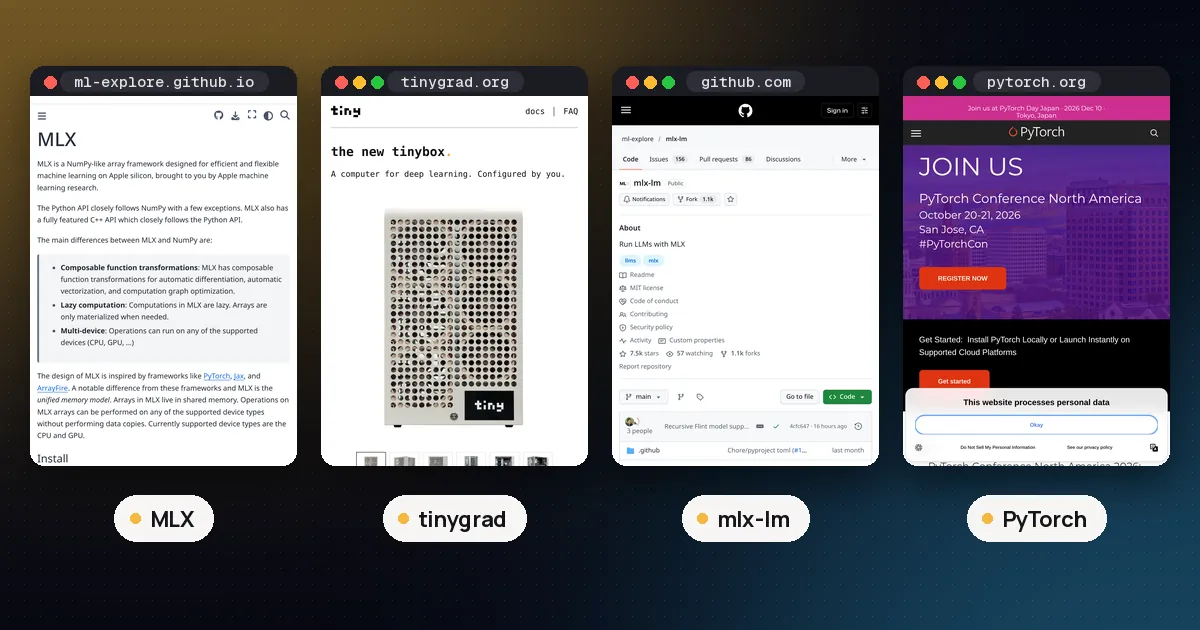
In the tinygrad vs MLX choice, pick MLX if your work lives on a Mac. It is Apple's own array framework for Apple silicon, it is built around the shared memory that the CPU and GPU use on those chips, and it comes with a mature LLM package, MLX LM, for running and fine tuning open models. Pick tinygrad if you want one small, readable deep learning stack that runs on many kinds of hardware (Metal, CUDA, AMD, Qualcomm, CPU, WebGPU) or if you want to study and change the compiler itself.
Both projects are MIT licensed, both are lazy, and both feel familiar if you know NumPy or PyTorch. The real difference is focus: MLX goes deep on one hardware family, while tinygrad goes wide and keeps its whole stack small enough to read. The sections below compare them on hardware, programming model, speed tools, LLM support and setup, using each project's own documentation.
Tinygrad vs MLX at a glance
| Item | MLX | tinygrad |
|---|---|---|
| Maker | Apple machine learning research | tiny corp |
| Licence | MIT | MIT |
| Latest release (as of Oct 24, 2026) | 0.32.4 (Oct 14, 2026) | 0.14.0 on PyPI (Aug 24, 2026); install from source recommended |
| Main hardware | Apple silicon (CPU and GPU); CUDA and CPU packages for Linux | Metal, CUDA, NV, AMD, QCOM, OpenCL, CPU, WebGPU |
| Memory model | Unified memory: arrays live in shared memory, you pick the device per operation | Tensors live on a device; lazy graph decides what hits memory |
| Execution | Lazy, evaluated with mx.eval | Lazy, evaluated with .realize() |
| Speed tool | mx.compile fuses and caches graphs | @TinyJit replays kernels; BEAM searches for faster kernels |
| Function transforms | grad, vmap and more, composable | Autodiff; no full vmap yet |
| Neural net API | mlx.nn.Module, mlx.optimizers | Plain classes with __call__, tinygrad.nn |
| Other languages | C++, C and Swift APIs | Python |
| LLM tooling | MLX LM, thousands of models in the MLX Community org | Example scripts in the repo |
Release dates come from the MLX GitHub releases and the tinygrad PyPI page. Features come from the MLX README and the tinygrad documentation.
What MLX is
MLX is "an array framework for machine learning on Apple silicon," made by Apple's machine learning research group. Its Python API closely follows NumPy, and its higher level mlx.nn and mlx.optimizers packages closely follow PyTorch, so most people can read MLX code on day one. The same API exists in C++, C and Swift, which matters if you want to ship a model inside a Mac or iOS app.
The design choice that sets MLX apart is the unified memory model. On Apple silicon the CPU and GPU share one memory pool. The MLX unified memory docs explain that you never move an array to a device. You choose a device when you run an operation, for example mx.add(a, b, stream=mx.gpu), and MLX tracks dependencies between CPU and GPU work for you.
MLX also has composable function transforms (grad, vmap and others), dynamic graphs (changing input shapes does not force a slow recompile), and distributed communication backends including ring all reduce over TCP, MPI, NCCL for CUDA, and JACCL for RDMA over Thunderbolt between Macs.
MLX is no longer Mac only. The MLX install guide lists pip install mlx[cuda12] (or mlx[cuda13]) for NVIDIA GPUs from SM 7.5 upward on Linux, and mlx[cpu] for Linux CPUs. On a Mac it needs macOS 14 or newer and Python 3.10 or newer.
What tinygrad is
tinygrad describes itself as "something between PyTorch and karpathy/micrograd": a full deep learning stack (tensor library with autograd, an IR and compiler that fuse and lower kernels, a JIT, and nn, optim and dataset helpers) kept small enough that you can read the compiler. It is maintained by tiny corp and is not 1.0 yet, although its docs say the API has been stable for a while.
Its main draw is reach. The tinygrad runtimes page lists backends for NVIDIA (CUDA, plus an NV runtime for Ampere, Ada and Blackwell), AMD (CDNA3, CDNA4, RDNA3, RDNA4), Apple Metal on M1 or newer Macs, Qualcomm 6xx GPUs, OpenCL, CPU and WebGPU. The README says a new accelerator only needs about 25 low level ops. For AMD it even documents a USB3 interface for ASM24xx bridge chips, alongside the normal driver path.
tinygrad is lazy like MLX. Nothing runs until you call .realize(), and the README shows a matmul written as a reshape, multiply and sum that still fuses into one kernel. There is no special nn.Module class: a model is an ordinary Python class with __call__.
Programming model: how the code feels
Here is the same idea, a tiny linear layer and its gradient, in both frameworks.
# MLX
import mlx.core as mx

def loss(w, x, y):
    return mx.mean((x @ w - y) ** 2)

grad_fn = mx.grad(loss)
w = mx.zeros((4, 1))
x, y = mx.random.normal((8, 4)), mx.random.normal((8, 1))
g = grad_fn(w, x, y)
mx.eval(g)
# tinygrad
from tinygrad import Tensor
w = Tensor.zeros(4, 1, requires_grad=True)
x, y = Tensor.randn(8, 4), Tensor.randn(8, 1)
loss = ((x @ w - y) ** 2).mean()
loss.backward()
print(w.grad.numpy())MLX takes the JAX route: gradients come from transforming a function with mx.grad, and you can stack transforms such as vmap. tinygrad takes the PyTorch route: you call .backward() on a tensor and read .grad. The tinygrad README says it has fewer functional transforms than JAX (no full vmap or pmap yet), so if you rely on vectorising functions, MLX is closer to what you want. If you already think in PyTorch, tinygrad will feel more natural. For the wider PyTorch and JAX picture, see PyTorch vs JAX.
Speed: compile in MLX, TinyJit and BEAM in tinygrad
Neither project publishes a head to head benchmark against the other, and we have not found an official one, so treat any single number you see online with care. What the docs do tell you is how each framework gets fast.
MLX. The MLX compile docs say mx.compile builds the graph, merges common work, fuses operations and caches the result, which "in many cases" improves run time and memory use. The first call is slow; later calls reuse the compiled function unless shapes, dtypes or the number of inputs change. Without compile, MLX still runs fast Metal kernels eagerly in its lazy graph.
tinygrad. tinygrad is honest that it is slow without its JIT. The docs say PyTorch spends effort on fast dispatch and tinygrad does not, so you wrap a pure step function in @TinyJit. The MNIST tutorial explains that the first two calls capture kernels and later calls replay them, skipping Python. Setting BEAM=2 searches many kernel versions for the fastest one on your chip, and after that search tinygrad is "usually speed competitive with PyTorch," with results cached. Its speed page adds that the scheduler (how ops are grouped into kernels) is still a big bottleneck for training.
On a Mac, the practical reading is this: MLX has Apple engineers tuning Metal kernels for Apple chips, while tinygrad gives you a generic compiler plus kernel search. If you want to measure for your own model, sync the GPU before stopping the timer, leave out warmup, and test MLX with and without mx.compile and tinygrad with and without TinyJit and BEAM. Our tinygrad vs PyTorch performance guide covers fair benchmarking in more detail.
Running and fine tuning LLMs
This is where the two differ most for everyday users.
MLX has MLX LM, a separate package that loads models straight from the Hugging Face Hub, quantizes and uploads them, runs LoRA and full fine tuning (including on quantized models) and supports distributed inference. Its README says thousands of ready models live in the MLX Community organisation on Hugging Face. Getting a chat running is two commands:
pip install mlx-lm
mlx_lm.chat --model mlx-community/Llama-3.2-3B-Instruct-4bit
Desktop apps such as LM Studio can also run MLX models on a Mac. See MLX vs GGUF on Mac for how MLX models compare with the GGUF files that Ollama and llama.cpp use, and how to fine tune an LLM locally for a wider look at training on your own machine.
tinygrad ships LLM example scripts in its repository (for example examples/llama3.py), and its multi GPU sharding with Tensor.shard is a documented feature. But there is no packaged model hub, no quantized model library, and no fine tuning tool on the level of MLX LM. If your goal is "run and tune open models on my Mac this week," MLX is the clear answer.
Hardware support beyond the Mac
If you own more than one kind of machine, the picture shifts.
| Your hardware | MLX | tinygrad |
|---|---|---|
| M1 or newer Mac | Best fit, unified memory aware | Works via the METAL runtime |
| NVIDIA GPU on Linux | mlx[cuda12] or mlx[cuda13], SM 7.5 and newer | CUDA runtime, or NV runtime on Ampere, Ada, Blackwell |
| AMD GPU | Not supported | AMD runtime for CDNA3, CDNA4, RDNA3, RDNA4 |
| Qualcomm phone or board GPU | Not supported | QCOM runtime, 6xx series |
| Browser | Not supported | WEBGPU runtime via Dawn |
| CPU only | Linux CPU package; CPU device on Mac | CPU runtime with clang or LLVM |
So tinygrad is the only one of the two that covers AMD, Qualcomm and the browser. MLX covers Apple silicon most deeply and now NVIDIA on Linux as well. For sizing models against your memory, see how much VRAM you need for an LLM.
Install and first steps
MLX on a Mac:
pip install mlx
python -c "import mlx.core as mx; print(mx.default_device())"
tinygrad (the docs recommend a source install):
git clone https://github.com/tinygrad/tinygrad.git
cd tinygrad
python3 -m pip install -e .
python3 -c "from tinygrad import Device; print(Device.DEFAULT)"
On a Mac the second command should print METAL. If you have no GPU handy, the tinygrad MNIST tutorial suggests Google Colab with a T4 runtime and gives a one line install.
Pros and cons
MLX
- Pros: built for Apple silicon and its shared memory; NumPy and PyTorch style APIs; composable
gradandvmap; MLX LM for running, quantizing and fine tuning LLMs; C++, C and Swift APIs; CUDA backend on Linux. - Cons: no AMD, Qualcomm or browser support; less useful if your team trains on mixed hardware; compiler internals are not designed to be read the way tinygrad's are.
tinygrad
- Pros: one stack across many accelerators; the whole compiler is readable and hackable;
TinyJitandBEAMcan reach PyTorch level speed per its docs; PyTorch style tensor API. - Cons: slow without the JIT; not 1.0 yet; scheduler still limits training speed by its own account; no packaged LLM tooling to match MLX LM; fewer functional transforms.
Which should you choose?
- You run or fine tune open models on a Mac: MLX with MLX LM.
- You are building a Mac or iOS app with an on device model: MLX, for the Swift and C APIs.
- You need the same code on AMD, NVIDIA, Qualcomm or WebGPU: tinygrad.
- You want to learn how a deep learning compiler works end to end: tinygrad.
- You want the widest ecosystem of papers and trainers: neither; that is still PyTorch. Our best ML frameworks for Python roundup explains where each fits.
FAQ
Is MLX faster than tinygrad on a Mac?
Neither project publishes a direct comparison, so there is no official answer. MLX is tuned by Apple for Apple silicon and its unified memory, while tinygrad reaches its best speed only after TinyJit and BEAM kernel search. Measure your own model with synced timers and warmup excluded.
Does tinygrad run on Apple silicon?
Yes. tinygrad's METAL runtime supports M1 and newer Macs, and Metal 3.0 or newer adds bfloat16 support. On a Mac, Device.DEFAULT should report METAL.
Does MLX work on NVIDIA GPUs or Linux?
Yes. MLX has a CUDA backend for Linux (pip install mlx[cuda12] or mlx[cuda13]) for NVIDIA GPUs from SM 7.5 upward, and a CPU only Linux package with pip install mlx[cpu]. It does not support AMD GPUs.
Can I run LLMs with tinygrad?
You can run the LLM example scripts in the tinygrad repository, and tinygrad can shard tensors across several GPUs. For everyday local LLM use on a Mac, MLX LM or a desktop app is far simpler.
Are tinygrad and MLX free for commercial use?
Both are released under the MIT License, which allows commercial use. Check the separate licence of any model weights you run with them.
Should I learn MLX or tinygrad first?
If you have a Mac and want results with real models, start with MLX. If you are curious about compilers or need many kinds of hardware, start with tinygrad. Both reward knowing PyTorch first.