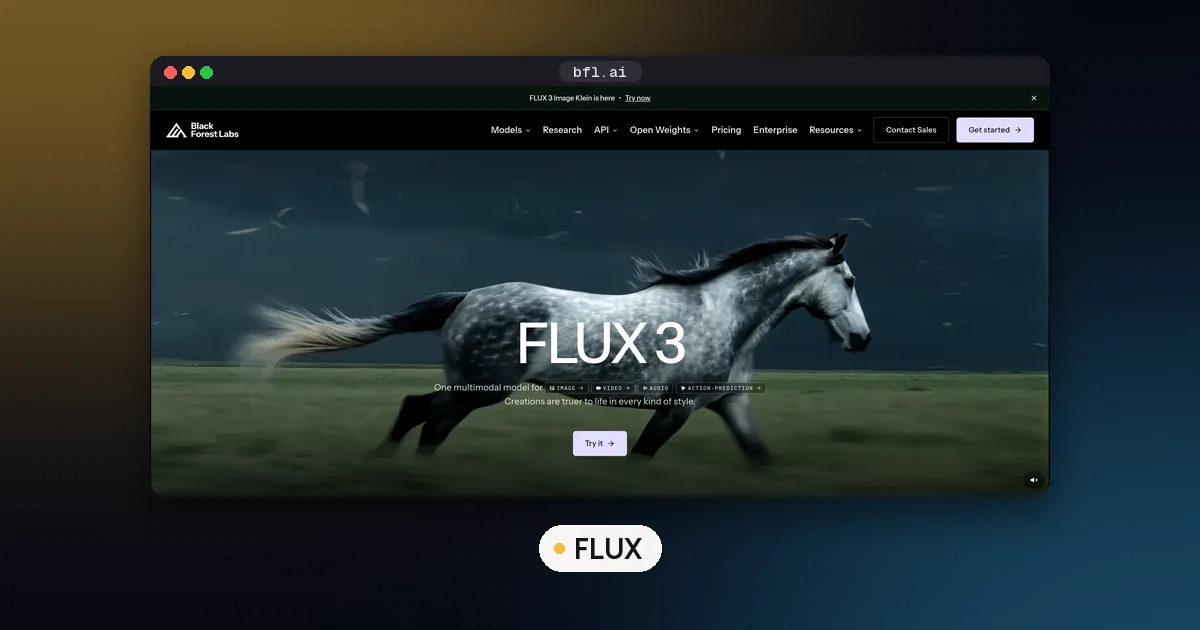
FLUX open weights are the Black Forest Labs image models you can download from Hugging Face and run on your own hardware: FLUX 3 Image Klein, FLUX.2 dev and klein, and FLUX.1 schnell and dev. Licenses differ by model. FLUX.1 schnell and FLUX.2 klein 4B are Apache 2.0, FLUX 3 Klein uses the revenue capped FLUX Kommunity License, and the dev models are non commercial, so check each card before you ship.
The newest open model is FLUX 3 Image Klein, released on October 15, 2026, and its int8 build runs on an 8 GB NVIDIA card in ComfyUI. The top tiers (FLUX 3 Image, FLUX 3 Max, FLUX 3 Video, FLUX.2 Max and the Pro models) are API only. Every license, file size and VRAM figure below was rechecked on the Hugging Face model cards on October 24, 2026.
Which FLUX models have open weights
Black Forest Labs (BFL) publishes everything on its Hugging Face organization. This table lists the image generators. The size is the main transformer file in its published precision, without the text encoder, and the VRAM column quotes the card only where the card gives a figure.
| Model | Size | Transformer file | VRAM per the card | License |
|---|---|---|---|---|
| FLUX 3 Image Klein (and Klein Base) | 5.6B | 5.8 GB int8, 11.1 GB BF16 | 8 GB GPUs such as the RTX 3070 (int8) | FLUX Kommunity License |
| FLUX.2 klein 4B (and Base 4B) | 4B | 7.8 GB BF16, 4.1 GB FP8 | about 13 GB, RTX 3090 or 4070 and up | Apache 2.0 |
| FLUX.2 klein 9B (and Base 9B, 9B KV) | 9B | 18.2 GB BF16, 9.4 GB FP8 | about 29 GB, RTX 4090 and up | FLUX Non Commercial License |
| FLUX.2 dev | 32B | 64.5 GB BF16 | not stated; BFL shows a 4 bit load on an RTX 4090 | FLUX Non Commercial License |
| FLUX.1 dev (plus Fill, Canny, Depth, Redux, Kontext, Krea) | 12B | 23.8 GB BF16 | not stated | FLUX.1 dev Non Commercial License |
| FLUX.1 schnell | 12B | 23.8 GB BF16 | not stated | Apache 2.0 |
Two support models also ship openly under Apache 2.0: the FLUX 3 Klein prompt upsampler, a 9B vision language model that rewrites your prompt, and the FLUX.2 small decoder, a faster autoencoder decoder for the open FLUX.2 models. BFL's FLUX 3 Action checkpoints (base, so101 and droid) are open too, under the FLUX Kommunity License, but they are robotics models rather than image generators.
Every repository except the Apache 2.0 ones is gated. You log in to Hugging Face and accept the license on the model page before the download starts.
License by model: commercial use or not
The license decides what you can build, so read it before picking a model on quality alone.
Apache 2.0 (FLUX.1 schnell, FLUX.2 klein 4B and its Base). You can use, modify, fine tune and sell products built on these, with no revenue cap. The FLUX.2 klein card says BFL released the 4B models under Apache 2.0 and the 9B models under a non commercial license after its safety evaluations.
FLUX Kommunity License v1.0 (FLUX 3 Image Klein). Per the model card, it allows non commercial use, plus commercial output generation for Qualifying Users with less than US$5M in gross annualized revenue, counting affiliates. Bigger companies need a self hosted commercial license or the BFL API. The card adds that the exception is not blanket permission for commercial fine tuning or redistribution, and Section 4 bans uses such as military purposes, surveillance, biometric processing, non consensual intimate images, and training a competing image model on the outputs.
FLUX Non Commercial License (FLUX.2 dev, FLUX.2 klein 9B) and the FLUX.1 dev license. The model itself is for non commercial use. Both the FLUX.1 dev and FLUX.2 dev cards say generated outputs can be used for personal, scientific and commercial purposes as described in the license. Running the model inside a paid product is a different matter: BFL points commercial open weights users to its Self Hosted Commercial License Terms. The FLUX.2 klein card also says the 9B models must be used with filters or manual review under the non commercial terms.
None of these releases include training data, which is why "open weights" is the right label rather than open source. Our open weight vs open source explainer covers the difference.
Open weights vs the FLUX API
BFL sells two things: downloadable checkpoints and a paid API. Its models page lists FLUX 3 Max, FLUX 3 Video, FLUX 3 Image, FLUX.2 Max, FLUX 1.1 Pro and the FLUX Tools alongside the open models, and none of those top tiers has weights on Hugging Face.
Pick open weights when you want no per image fees, privacy for your inputs, LoRA fine tuning, or full control of samplers and workflows. Pick the API when you need the strongest model, video, or a commercial right your revenue does not qualify for under the Kommunity License. Many people do both: prototype locally on Klein, then call the API for final renders.
Hardware you need
The VRAM column above is BFL's guidance, and it assumes NVIDIA GPUs. File size is not the full bill: the text encoder, autoencoder and working memory add to it. BFL's FLUX 3 Klein reference code peaked at 31 GB in BF16, 26 GB in FP8 and 25 GB in NVFP4 at 1024x1024 on a B200, with the upsampler off. ComfyUI swaps components between system RAM and the GPU as each step needs them, which is how the int8 Klein build fits an 8 GB card, so leave plenty of free system RAM.
Our starting points by card:
| Your GPU | Good open FLUX choice |
|---|---|
| 8 to 12 GB | FLUX 3 Klein int8 in ComfyUI |
| 16 GB | FLUX 3 Klein int8, or FLUX.2 klein 4B (about 13 GB per its card) |
| 24 GB | FLUX.2 klein 4B with room to spare, or FLUX.2 dev in 4 bit with a remote text encoder, as in BFL's RTX 4090 example |
| 32 GB and up | FLUX.2 klein 9B (about 29 GB per its card) and the BF16 Klein files |
If you size language models too, our VRAM guide for LLMs explains why weights are only part of the memory use. Mac users should know BFL publishes no Apple Silicon guidance for these models; our MLX vs GGUF on Mac guide covers what runs well there for text models. To set up ComfyUI itself on a Mac, follow how to run ComfyUI on Mac.
Run FLUX 3 Klein in ComfyUI
FLUX 3 Image Klein handles text to image, image editing and multi reference generation with up to 10 reference images, according to BFL's launch post. The 5.6B count is the image transformer only; the text encoder is Qwen3-VL-4B-Instruct from the Qwen family. It comes as Klein (step distilled, 16 steps, no guidance) and Klein Base (undistilled, 50 steps, CFG 3.5, meant for fine tuning). BFL's reference code README says the distilled model is about 6x faster than Base.
- Update ComfyUI. Support landed in ComfyUI v0.41.0 on October 15, 2026. v0.42.1 is the current release as of October 24.
- Accept the license on the Hugging Face page, then run
hf auth loginso the Hugging Face Hub CLI can fetch the gated files. - Download the int8 set into your ComfyUI model folders, using the command from the official card:
hf download black-forest-labs/flux-3-image-klein-comfy \
  diffusion_models/flux3-image-klein-int8-convrot.safetensors \
  text_encoders/qwen3vl_4b_int8_convrot.safetensors \
  vae/flux2-vae.safetensors \
  text_encoders/qwen3.5_9b_flux3_prompt_upsampler_int8_convrot.safetensors \
  --local-dir ComfyUI/models
On an RTX 50 series card you can swap in the NVFP4 transformer (5.3 GB), which needs a Blackwell GPU. The full int8 set is about 21 GB on disk.
4. Load a workflow. The repository's workflows folder has files for text to image (t2i), single image editing (i2i) and multi image editing (mi2i). Drag one, for example flux3_klein_int8_t2i.json, onto the canvas.
5. Keep the default sampler settings and generate. Start with a short request and let the upsampler expand it.
Keep the prompt upsampler on. Every official page warns against running the model without it, because Klein was trained on long scene captions and short prompts give generic images. The upsampler files are 6.7 GB (w4a8), 9.8 GB (int8) or 18.8 GB (BF16). On a small card, use the w4a8 file, or turn it off and have a local model in Ollama write the caption with BFL's published system_prompts.json.
For speed, BFL's launch post cites NVIDIA's measurements for the distilled int8 build at 16 steps: about 4 seconds for a 1 megapixel image on an RTX 5090 and under 9 seconds on an RTX 4070, excluding the upsampler. We have not run our own timings.
Outside ComfyUI, the Diffusers FLUX 3 pipeline docs show a modular pipeline with CPU offloading for smaller cards (see our Diffusers page), and BFL lists day one serving support in SGLang and vLLM through vLLM-Omni. For LoRA training on the Base checkpoint, our LoRA vs QLoRA guide explains the memory tradeoffs.
FLUX vs other open image models
FLUX is not the only family you can run locally, and it is not the most permissive. If you need clean text in images and an Apache 2.0 license, our guide to MOSS-Image in ComfyUI covers that option (MOSS-Image tool page). For a wider comparison by GPU size and license, including Qwen-Image, Z-Image, HiDream and Stable Diffusion 3.5, see our roundup of the best local models for image generation.
Our short version: choose FLUX 3 Klein for the newest open FLUX quality on a small card if you are under the revenue cap, FLUX.2 klein 4B or FLUX.1 schnell when you need Apache 2.0, and FLUX.2 dev only if you have a large GPU and a non commercial use. For more self hosting options beyond images, see open source LLM models to run locally.
FAQ
Is FLUX open source?
Partly. FLUX.1 schnell and FLUX.2 klein 4B ship their weights under Apache 2.0, an open source license, so you can use, modify and sell work built on them. FLUX 3 Image Klein, FLUX.2 dev, FLUX.2 klein 9B and FLUX.1 dev are open weights only: free to download, but under revenue capped or non commercial licenses. None include training data.
Can I use FLUX.1 dev commercially?
Not the model itself, unless you buy a self hosted commercial license from BFL. The FLUX.1 dev card says images you generate can be used for personal, scientific and commercial purposes as described in its non commercial license, but running the model in a paid product or service needs the commercial terms. For a free commercial license, use FLUX.1 schnell or FLUX.2 klein 4B.
Where do I download FLUX weights?
From the official Black Forest Labs organization on Hugging Face (black-forest-labs). Most repositories are gated, so log in, accept the license on the model page, then download in the browser or with hf download. For ComfyUI, the flux-3-image-klein-comfy repository has the files already split into the right model folders.
Can FLUX run on an 8 GB GPU?
Yes, with FLUX 3 Image Klein. Its card says the int8 files run on 8 GB GPUs such as the RTX 3070, with ComfyUI offloading parts to system RAM, so expect slower runs than on a large card. BFL's cards put FLUX.2 klein 4B at about 13 GB and FLUX.2 klein 9B at about 29 GB.
Which FLUX model is fastest?
BFL calls the FLUX.2 klein family its fastest image models, step distilled to 4 steps with end to end inference under a second on suitable hardware. FLUX.1 schnell needs 1 to 4 steps. FLUX 3 Klein uses 16 steps, but it is about 6x faster than its own Base checkpoint.
Is there an open weights FLUX 3 video model?
Not as of October 24, 2026. FLUX 3 Video and FLUX 3 Max are listed on BFL's models page but have no weights on Hugging Face. The only FLUX 3 open weights so far are Image Klein and the Action robotics models.