To run Bonsai 2 27B locally, use Prism ML's own build of llama.cpp: clone the official Bonsai-demo repository, run ./setup.sh, then start ./scripts/start_llama_server.sh and open a chat at localhost port 8080. The model is a ternary version of Qwen3.8-27B whose language weights take about 6 to 7.2 GB, so a 27B-class reasoning model fits on a 12 to 16 GB GPU or an everyday Apple Silicon laptop. The catch: stock llama.cpp, Ollama and LM Studio can't load these files yet.
This guide explains what "ternary" means here, which of the two GGUF files to pick, how much memory you really need, the setup steps for each platform, and the settings that stop the model from thinking forever.
What Bonsai 2 27B is
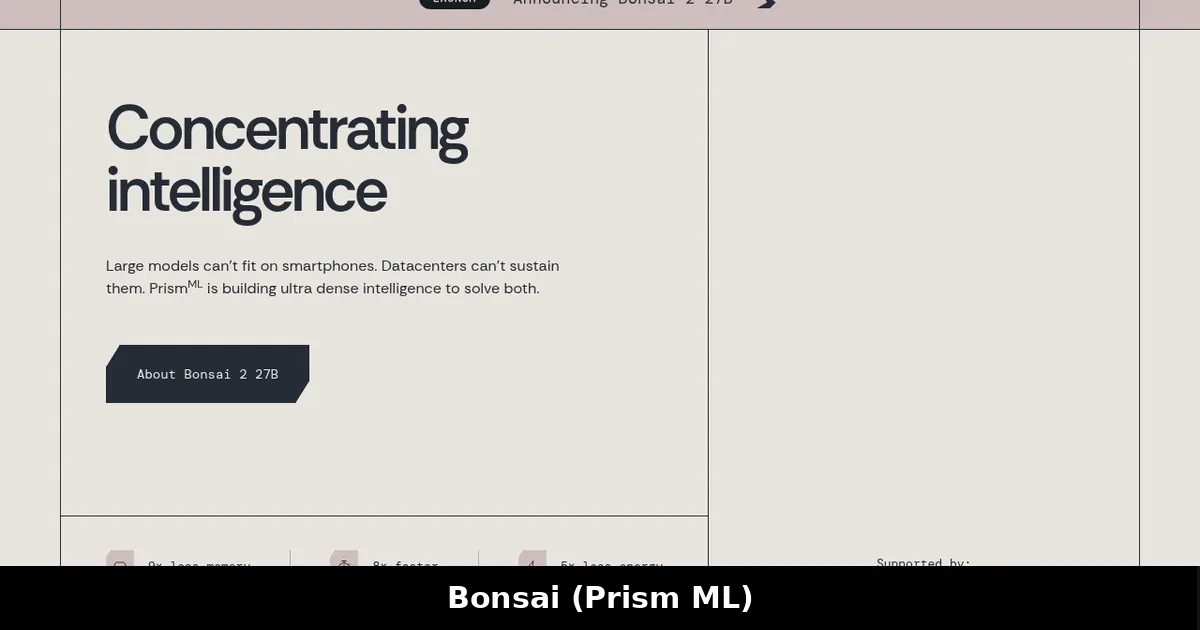
Bonsai 2 27B comes from Prism ML. According to its official model card, it is derived from Qwen3.8-27B with the architecture unchanged: 27.36 billion parameters in total, a 64-block hybrid-attention backbone (about 75% linear attention and 25% full attention), a 262K-token context window and an optional vision tower. It is released under Apache 2.0, so commercial use is allowed. For what that licence does and doesn't give you, see open weight vs open source.
The new part is how the weights are stored. Each weight is one of three values, minus one, zero or plus one, with a shared 16-bit scale for every group of 128 weights. A three-valued weight carries about 1.58 bits of information, and Prism ML puts the whole model at 1.72 bits per weight once the scales and a small set of higher-precision tensors are counted. The ternary format covers the embeddings, attention, MLP projections and output head. Before the ternary rounding, each matrix is rotated with a blockwise Hadamard transform, and the runtime applies the matching transform to activations. That rotation is why ordinary runtimes can't simply read the file.
| Fact | Bonsai 2 27B |
|---|---|
| Base model | Qwen3.8-27B (architecture unchanged) |
| Parameters | 27.36B (24.35B backbone, 2.54B embeddings and head, 0.46B vision) |
| Weight format | Ternary, groups of 128 with FP16 scales, Hadamard-rotated |
| Language-model size | 5.95 GB (PTQ1_0) or 7.21 GB (PQ2_0), versus about 54 GB in FP16 |
| Context | 262,144 tokens |
| Inputs | Text, plus images with the optional vision projector |
| Licence | Apache 2.0 |
If you're new to low-bit model files, our GGUF quantization explainer covers the conventional formats this one is being compared with.
Bonsai 2 vs ordinary 2-bit and 4-bit Qwen quants
The reason people are paying attention is the quality claim. Prism ML's model card reports a 14-benchmark thinking-mode average of 84.78 for Bonsai 2 27B, against 86.32 for the full FP16 Qwen3.8-27B, 85.18 for a 4-bit UD-Q4_K_XL build and 72.59 for a conventional 2-bit IQ2_XXS build. These are the vendor's own numbers, measured on its own setup, so treat them as a claim to check rather than an independent result.
| Build (vendor-reported) | Bits per weight | Size | Thinking average |
|---|---|---|---|
| Qwen3.8-27B FP16 | 16 | 54 GB | 86.32 |
| Qwen3.8-27B UD-Q4_K_XL | 5.2 | 17.6 GB | 85.18 |
| Qwen3.8-27B IQ2_XXS | 2.16 | 7.27 GB | 72.59 |
| Bonsai 2 27B | 1.72 | 5.95 GB | 84.78 |
The card also says the conventional 2-bit build fails selectively: it keeps a high general-knowledge score but drops sharply on long-reasoning tests such as AIME26 and LiveCodeBench, which Bonsai 2 holds. Where Bonsai 2 does lose ground is knowledge-heavy reasoning and vision, according to the same per-category table.
So what does that mean for you? If you have 24 GB or more, a normal 4-bit Qwen quant in Ollama or llama.cpp is still the low-friction choice, and our Qwen 3.8 local guide walks through it. Bonsai 2 is interesting when memory is the hard limit: a 12 or 16 GB card, a 16 GB laptop, or a machine where you want room left for long context or a second model.
PQ2_0 vs PTQ1_0: which file to download
The GGUF repository ships two packings of the same weights.
- PQ2_0 stores each three-valued weight in a two-bit slot: 2.13 bits per weight, 7.21 GB. It is the Bonsai-demo default and the packing measured on Apple Silicon.
- PTQ1_0 packs the values densely: 1.75 bits per weight, 5.95 GB. Unpacking costs more arithmetic.
| Situation | Pick | Why (per the model card) |
|---|---|---|
| Mac with Apple Silicon | PQ2_0 | The measured pack on Metal |
| RTX 5090, Blackwell, H100, A100 | PQ2_0 | Faster decode on these cards |
| RTX 4090, other Ada cards, L4 | PTQ1_0 | Faster decode where bandwidth is the limit |
| Tightest memory budget | PTQ1_0 | About 1.3 GB smaller |
| Long prompts, document work | PQ2_0 | Faster prompt processing on every platform |
On an RTX 4090, the card lists about 91 tokens per second of generation with PTQ1_0 and about 81 with PQ2_0. On an M5 Pro laptop it lists about 28 tokens per second with PQ2_0.
How much memory you need
Plan for three pieces: the weights, the KV cache for your context, and the optional vision projector.
- Weights: 5.95 GB or 7.21 GB, depending on the packing.
- KV cache: the Bonsai-demo README gives 64 KiB per token at FP16, about 6.3 GiB at 100K tokens. The hybrid attention keeps this small for a 27B model. With the experimental 4-bit KV cache it drops to about 18 KiB per token, about 1.8 GiB at 100K.
- Vision projector: about 0.63 GB in Q8_0, loaded only for image input. It can also be kept in system RAM.
By that arithmetic, PQ2_0 with a 32K context is roughly 9.4 GB before runtime buffers. Prism ML's known-issues page warns that the demo's default 32K context doesn't fit on 12 GB GPUs, because the scripts size context from system RAM rather than GPU memory. On a 12 GB card, set a smaller context or turn on the 4-bit cache. For the general rules behind these numbers, see how much VRAM you need for an LLM and our KV cache quantization guide.
How to run Bonsai 2 27B: step by step
The easy route: Bonsai-demo
The Bonsai-demo repository calls itself the source of truth for running the model, and its setup script fetches the right binaries for your machine.
git clone https://github.com/PrismML-Eng/Bonsai-demo.git
cd Bonsai-demo
BONSAI_OPENWEBUI=0 BONSAI_CODE_INTERPRETER=0 ./setup.sh
./scripts/start_llama_server.sh
Then open http://localhost:8080. Two environment variables skip the optional Open WebUI and code-interpreter extras, which add several gigabytes and most of the wait. On Windows, run .\setup.ps1 and then .\scripts\start_llama_server.ps1 from PowerShell. The known-issues page notes that an earlier Windows script picked the slow Vulkan build on NVIDIA machines; that's fixed, but check that the server log reports a CUDA device.
The manual route: the PrismML llama.cpp fork
If you'd rather manage files yourself, grab a binary from the PrismML llama.cpp releases (the launch-day release had no binaries, so use a newer one), then download a model file with the Hugging Face Hub CLI and run it.
hf download prism-ml/Ternary-Bonsai-2-27B-gguf Ternary-Bonsai-2-27B-PQ2_0.gguf --local-dir .
./bin/llama-cli -m Ternary-Bonsai-2-27B-PQ2_0.gguf -ngl 99 -fa on -c 32768 \
  --temp 1.0 --top-p 0.95 --top-k 20 --min-p 0.05 -n 16384
The -ngl 99 flag offloads every layer to the GPU; zero means CPU only. The -n 16384 output limit matters, as explained below.
On a Mac with MLX
There is also an MLX build. The demo runs it through ./scripts/start_mlx_server.sh, using mlx-vlm in its own environment. Per the known-issues page, ordinary MLX apps and LM Studio's MLX runtime can't load it yet, and the MLX build of the 27B has no image support, so use the GGUF with its vision projector for images. For the format choice in general, see MLX vs GGUF on a Mac.
Can you run it in Ollama or LM Studio?
Not yet. The model's known-issues page says stock llama.cpp, Ollama and LM Studio can't load the PQ2_0 or PTQ1_0 files, which use new quantization types. Worse, a separate development file in the standard Q2_0 type does load in stock llama.cpp but produces gibberish, because upstream builds lack the Hadamard and sign-flip transforms. The demo README lists the upstream pull requests in progress: some CPU and Metal pieces were merged by September 25, 2026, while CUDA and Vulkan pieces were still open or in draft. Until that work lands and apps adopt it, successful loading is not proof of compatibility. Our Ollama vs llama.cpp vs LM Studio comparison covers how those three tools relate to each other.
The same page also warns against quantizing your own models to PQ2_0 or PTQ1_0 with llama-quantize: without Prism's rotation step and metadata, the result loads silently and generates nonsense.
Settings that matter
Give it a big output budget. Bonsai 2 is a reasoning model that thinks by default at xhigh effort, and the thinking counts against the output limit. The most common report, per Prism ML, is an empty or cut-off answer. Use -n 16384 or more (or max_tokens over the API) with a context of about 65K if you can.
Use medium effort for shorter answers. The chat template accepts low, medium and xhigh. low barely shortens reasoning in Prism ML's tests, and high currently returns an HTTP 500 error. To switch thinking off, send reasoning_effort set to none with the server left at its default reasoning mode.
Set sampling explicitly. Thinking mode: temperature 1.0, top-p 0.95, top-k 20, min-p 0.05. Non-thinking mode: temperature 0.7, top-p 0.8, top-k 20, presence penalty 1.5. The GGUF files don't carry min-p or the penalties, and the MLX build samples almost greedily unless you pass settings yourself.
For one user, fix the prompt cache. If the server keeps re-processing a long conversation, start it with -np 1 --cache-ram 24576.
Pros and cons
Pros
- A 27B-class reasoning model in about 6 to 7.2 GB of weights.
- Vendor-reported quality close to a 4-bit build at about a third of its size.
- Apache 2.0, a 262K context, vision and tool calling.
- Builds for CUDA, Metal, CPU, ROCm and Vulkan in the fork.
Cons
- Needs Prism ML's fork; no Ollama or LM Studio support yet.
- Benchmarks come from the vendor, not an independent lab.
- Long reasoning by default, which costs time.
- Several open issues on Vulkan, Intel GPUs, SYCL and consumer x86 CPU speed.
Who it's for
Bonsai 2 27B suits people with 8 to 16 GB of GPU memory or a 16 to 32 GB laptop who want a 27B-class reasoning model locally and don't mind a separate runtime. It's also useful for long-context work, since the small weights leave memory for the cache. If you have a 24 GB card and want one-command setup in Ollama, a standard 4-bit Qwen 3.8 quant is simpler. If you want to fine-tune, start from the original Qwen weights instead; see how to fine-tune an LLM locally.
FAQ
Can Ollama run Ternary Bonsai 27B?
No, not as of Prism ML's known-issues page last checked on September 23, 2026. Ollama, LM Studio and stock llama.cpp can't load the PQ2_0 or PTQ1_0 files. Use the PrismML llama.cpp fork or the Bonsai-demo scripts.
How much VRAM does Bonsai 2 27B need?
The language weights are 5.95 GB (PTQ1_0) or 7.21 GB (PQ2_0). Add about 2 GiB of FP16 KV cache for a 32K context, plus runtime buffers and an optional 0.63 GB vision projector. A 12 GB GPU needs a smaller context or the 4-bit KV cache.
What does ternary mean for an LLM?
Each weight is stored as minus one, zero or plus one, with a shared scale per group of weights. That's about 1.58 bits of information per weight, versus 16 bits in FP16, which is why a 54 GB model shrinks to about 6 GB.
What's the difference between Ternary Bonsai and Bonsai 2?
Ternary Bonsai is Prism ML's earlier family in 27B, 8B, 4B and 1.7B sizes, alongside a separate 1-bit Bonsai family. Bonsai 2 27B is the newer ternary model built on Qwen3.8-27B; the model card reports a higher benchmark average than the previous Ternary Bonsai 27B.
Is Bonsai 2 27B as good as a 4-bit quant?
On Prism ML's own 14-benchmark thinking-mode average it scores 84.78, versus 85.18 for a 4-bit Qwen3.8-27B build. The gap is larger on knowledge-heavy reasoning and vision. Independent tests are worth waiting for before treating it as equal.
Can I fine-tune Bonsai 2 27B?
Prism ML's model card and demo repository don't include a fine-tuning recipe for the ternary files, and its known-issues page warns that quantizing ordinary checkpoints to its formats produces garbage. Fine-tune the original Qwen3.8-27B weights with standard tools instead.